• Skip to main content
  • Architecture
    • Overview
      Learn about VergeOS’ unique unfied architecture that integrates virtualization, storage, networking, AI, backup and DR into a single data center operating system
    • Infrastructure Wide Deduplication
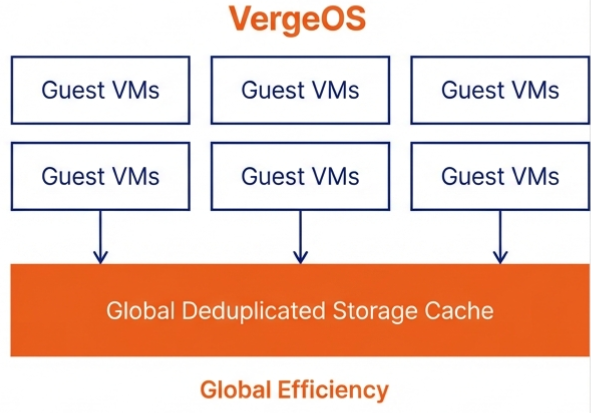
      VergeOS transforms deduplication from a storage-only commodity into a native, infrastructure-wide capability that spans storage, virtualization, and networking, eliminating hidden resource taxes
    • VergeFS
      VergeFS is a distributed, high-performance global file system integrated into VergeOS, unifying storage across nodes, tiers, and workloads while eliminating the need for external SANs
    • VergeFabric
      VergeFabric is VergeOS’s integrated virtual networking layer, delivering high-speed, low-latency communication across nodes while eliminating the complexity of traditional network configurations.
    • Infrastructure Automation
      VergeOS integrates Packer, Terraform, and Ansible to deliver an end-to-end automation pipeline that eliminates infrastructure drift and enables predictable, scalable deployments.
    • VergeIQ
      Unlock secure, on-premises generative AI—natively integrated into VergeOS. With VergeIQ, your enterprise gains private AI capabilities without the complexity, cloud dependency, or token-based pricing.
  • Features
    • Virtual Data Centers
      A VergeOS Virtual Data Center (VDC) is a fully isolated, self-contained environment within a single VergeOS instance that includes its own compute, storage, networking, and management controls
    • High Availability
      VergeOS provides a unified, easy-to-manage infrastructure that ensures continuous high availability through automated failover, storage efficiency, clone-like snapshots, and simplified disaster recovery
    • ioClone
      ioClone utilizes global inline deduplication and a blockchain-inspired file system within VergeFS to create instant, independent, space-efficient, and immutable snapshots of individual VMs, volumes, or entire virtual data centers.
    • ioReplicate
      ioReplicate is a unified disaster-recovery solution that enables simple, cost-efficient DR testing and failover via three‑click recovery of entire Virtual Data Centers—including VMs, networking, and storage.
    • ioFortify
      ioFortify creates immutable, restorable VDC checkpoints and provides proactive ransomware detection with instant alerts for rapid recovery and response.
    • ioMigrate
      ioMigrate enables large-scale VMware migrations, automating the rehosting of hundreds of VMs (including networking settings) in seconds with minimal downtime by seamlessly transitioning entire VMware environments onto existing hardware stacks.
    • ioProtect
      ioProtect offers near-real-time replication of VMware VMs—including data, network, and compute configurations—to a remote disaster‑recovery site on existing hardware, slashing DR costs by over 60% while supporting seamless failover and testing in an efficient, turnkey VergeOS Infrastructure.
    • ioOptimize
      ioOptimize leverages AI and machine learning to seamlessly integrate new and old hardware and automatically migrate workloads from aging or failing servers.
    • ioGuardian
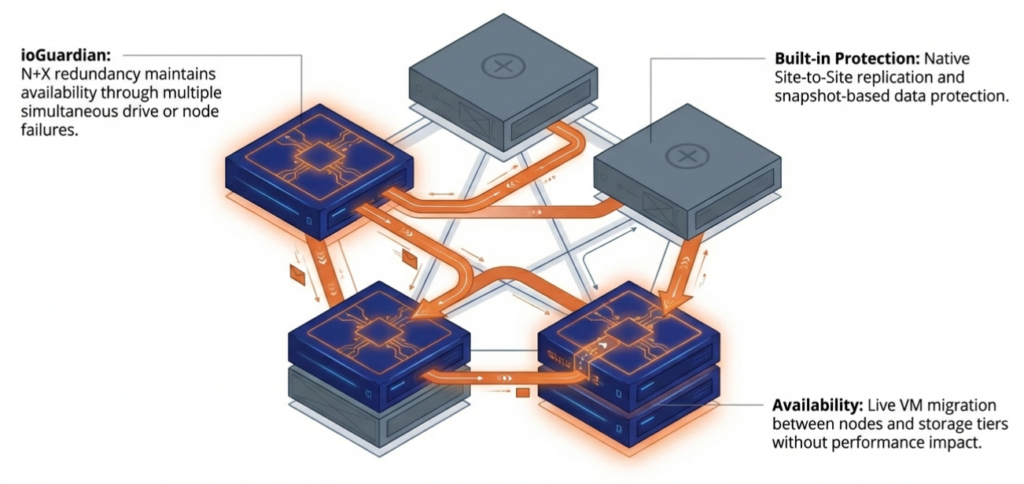
      ioGuardian is VergeIO’s built-in data protection and recovery capability, providing near-continuous backup and rapid VM recovery during multiple simultaneous drive or server failures.
  • IT Initiatives
    • VMware Alternative
      VergeOS offers seamless migration from VMware, enhancing performance and scalability by consolidating virtualization, storage, and networking into a single, efficient platform.
    • Hyperconverged Alternative
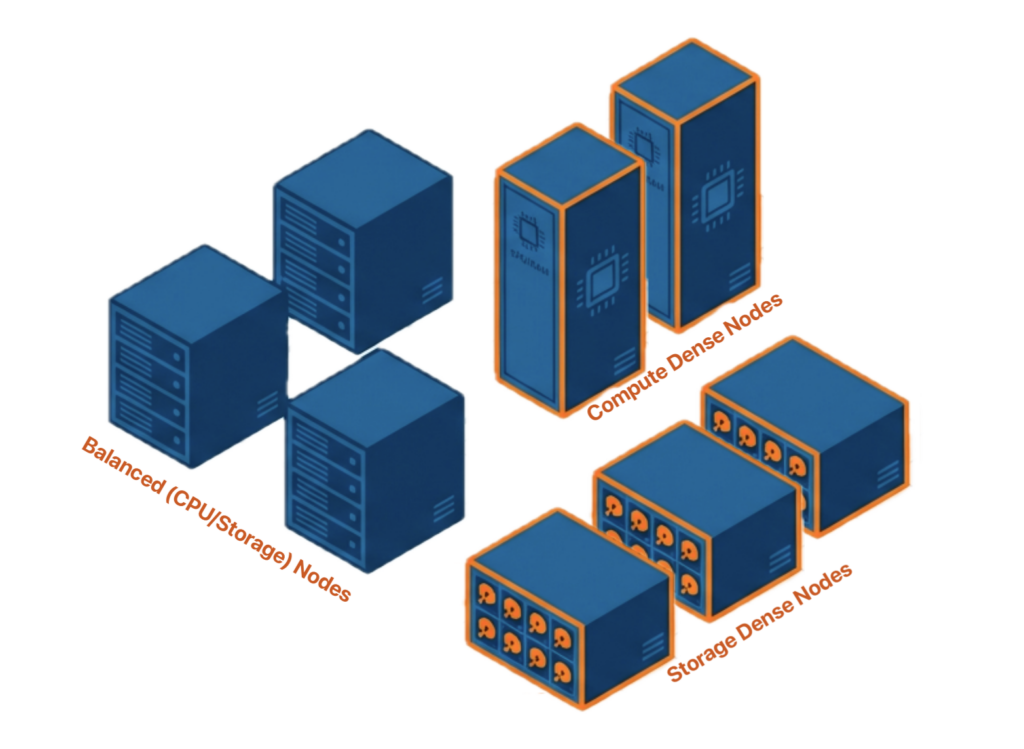
      VergeIO’s page introduces ultraconverged infrastructure (UCI) via VergeOS, which overcomes HCI limitations by supporting external storage, scaling compute and storage independently, using existing hardware, simplifying provisioning, boosting resiliency, and cutting licensing costs.
    • SAN Replacement / Storage Refresh
      VergeIO’s storage by replacing aging SAN/NAS systems within its ultraconverged infrastructure, enhancing security, scalability, and affordability.
    • Infrastructure Modernization
      Legacy infrastructure is fragmented, complex, and costly, built from disconnected components. VergeOS unifies virtualization, storage, networking, data protection, and AI into one platform, simplifying operations and reducing expenses.
    • Virtual Desktop Infrastructure (VDI)
      VergeOS for VDI delivers a faster, more affordable, and easier-to-manage alternative to traditional VDI setups—offering organizations the ability to scale securely with reduced overhead
    • Secure Research Computing
      VergeIO's Secure Research Computing solution combines speed, isolation, compliance, scalability, and resilience in a cohesive platform. It’s ideal for institutions needing segmented, compliant compute environments that are easy to deploy, manage, and recover.
    • Venues, Remote Offices, and Edge
      VergeOS delivers resiliency and centralized management across Edge, ROBO, and Venue environments. With one platform, IT can keep remote sites independent while managing them all from a single pane of glass.
  • Blog
      • Midsize Data Center AutomationMidsize data center automation delivers higher ROI than enterprise implementations but faces sustainability challenges. Small IT teams need automation more than large organizations, but struggle when infrastructure fragmentation forces constant code maintenance. Unified infrastructure makes automation durable by abstracting hardware complexity, enabling resource-constrained teams to sustain automated operations in the long term.
      • In-Place VMware ExitsVergeOS separates the VMware exit from the hardware refresh. Organizations keep their existing servers, add off-the-shelf SSDs, and migrate workloads incrementally. Licensing costs drop 65%. Storage costs drop 80%. Migration completes in weeks, not months. No forklift required.
      • Storage Refreshes Break AutomationStorage refreshes break automation because new arrays introduce incompatible APIs and changed endpoints. Organizations refreshing storage must rewrite Terraform modules and Ansible playbooks, even if they are staying within the same vendor. VergeOS unified infrastructure eliminates the need for automation rewrites entirely.
    • View All Posts
  • Resources
    • Become a Partner
      Get repeatable sales and a platform built to simplify your customers’ infrastructure.
    • Technology Partners
      Learn about our technology and service partners who deliver VergeOS-powered solutions for cloud, VDI, and modern IT workloads.
    • White Papers
      Explore VergeIO’s white papers for practical insights on modernizing infrastructure. Each paper is written for IT pros who value clarity, performance, and ROI.
    • In The News
      See how VergeIO is making headlines as the leading VMware alternative. Industry analysts, press, and partners highlight our impact on modern infrastructure.
    • Press Releases
      Get the latest VergeOS press releases for news on product updates, customer wins, and strategic partnerships.
    • Case Studies
      See how organizations like yours replaced VMware, cut costs, and simplified IT with VergeOS. Real results, real environments—no fluff.
    • Webinars
      Explore VergeIO’s on-demand webinars to get straight-to-the-point demos and real-world infrastructure insights.
    • Documents
      Get quick, no-nonsense overviews of VergeOS capabilities with our datasheets—covering features, benefits, and technical specs in one place.
    • Videos
      Watch VergeIO videos for fast, focused walkthroughs of VergeOS features, customer success, and VMware migration strategies.
    • Technical Documentation
      Access in-depth VergeOS technical guides, configuration details, and step-by-step instructions for IT pros.
  • How to Buy
    • Schedule a Demo
      Seeing is beleiving, set up a call with one of our technical architects and see VergeOS in action.
    • Versions
      Discover VergeOS’s streamlined pricing and flexible deployment options—whether you bring your own hardware, choose a certified appliance, or run it on bare metal in the cloud.
    • Test Drive – No Hardware Required
      Explore VergeOS with VergeIO’s hands-on labs and gain real-world experience in VMware migration and data center resiliency—no hardware required
  • Company
    • About VergeIO
      Learn who we are, what drives us, and why IT leaders trust VergeIO to modernize and simplify infrastructure.
    • Support
      Get fast, expert help from VergeIO’s support team—focused on keeping your infrastructure running smoothly.
    • Careers
      Join VergeIO and help reshape the future of IT infrastructure. Explore open roles and growth opportunities.
  • 855-855-8300
  • Contact
  • Search
  • 855-855-8300
  • Contact
  • Search
  • Architecture
    • Overview
    • VergeFS
    • VergeFabric
    • Infrastructure Automation
    • VergeIQ
  • Features
    • Virtual Data Centers
    • High Availability
    • ioClone
    • ioReplicate
    • ioFortify
    • ioMigrate
    • ioProtect
    • ioOptimize
    • ioGuardian
  • IT Initiatives
    • VMware Alternative
    • Hyperconverged Alternative
    • SAN Replacement / Storage Refresh
    • Infrastructure Modernization
    • Virtual Desktop Infrastructure (VDI)
    • Secure Research Computing
    • Venues, Remote Offices, and Edge
  • Blog
  • Resources
    • Become a Partner
    • Technology Partners
    • White Papers
    • In The News
    • Press Releases
    • Case Studies
    • Webinars
    • Documents
    • Videos
    • Technical Documentation
  • How to Buy
    • Schedule a Demo
    • Versions
    • Test Drive – No Hardware Required
  • Company
    • About VergeIO
    • Support
    • Careers
×
  • Architecture
    • Overview
    • VergeFS
    • VergeFabric
    • Infrastructure Automation
    • VergeIQ
  • Features
    • Virtual Data Centers
    • High Availability
    • ioClone
    • ioReplicate
    • ioFortify
    • ioMigrate
    • ioProtect
    • ioOptimize
    • ioGuardian
  • IT Initiatives
    • VMware Alternative
    • Hyperconverged Alternative
    • SAN Replacement / Storage Refresh
    • Infrastructure Modernization
    • Virtual Desktop Infrastructure (VDI)
    • Secure Research Computing
    • Venues, Remote Offices, and Edge
  • Blog
  • Resources
    • Become a Partner
    • Technology Partners
    • White Papers
    • In The News
    • Press Releases
    • Case Studies
    • Webinars
    • Documents
    • Videos
    • Technical Documentation
  • How to Buy
    • Schedule a Demo
    • Versions
    • Test Drive – No Hardware Required
  • Company
    • About VergeIO
    • Support
    • Careers

Alternative

December 30, 2025 by George Crump

Midsize data center automation faces a critical paradox: small IT teams need it more than enterprises but struggle to sustain it. Teams managing a dozen or so servers face the same availability and response expectations as large enterprises, but with a fraction of the staff. A team of two or three spans virtualization, storage, networking, security, and data protection, making automation not just valuable but essential for survival.

Key Takeaways

Small IT teams need automation more than enterprises but struggle to sustain it due to infrastructure fragmentation. Teams of one or two manage all infrastructure disciplines with enterprise-level expectations but fraction of the staff. Automation ROI exceeds large organizations because each automated task multiplies individual capacity across multiple responsibilities, but separate systems for compute, storage, networking, and data protection each introduce their own APIs and lifecycle rules that force constant code maintenance.

Unified infrastructure enables durable automation by collapsing infrastructure behavior into a single operating model. Automation interacts with consistent operational patterns rather than individual hardware platforms where servers, storage, and networking can be added, replaced, or moved without automation rewrites. Hardware lifecycle changes happen beneath the automation layer, making code survive decades instead of breaking every 3-5 year refresh cycle. Small teams reduce maintenance time from 15-20% to under 5% while gaining hardware flexibility across any commodity equipment.

VMware exit creates natural timing to establish automation foundation through unified infrastructure. Organizations already facing migration disruption can combine hypervisor replacement and infrastructure simplification in one transition rather than sequential projects requiring separate automation redesigns. Implementation succeeds through incremental approaches where automating the next infrastructure task by default builds patterns that compound over time, typically recovering 10-15 hours weekly for resource-constrained teams.

The automation ROI for midsize environments exceeds that of large enterprises because each spans more disciplines, where automation delivers greater operational value than in organizations with specialized teams. When one person manages everything, every automated task multiplies capacity in ways that specialized teams cannot appreciate.

Automation delivers critical operational benefits for resource-constrained teams:

Midsize data center automation benefits Small IT Teams
  • Consistency reduces drift and limits human error across all infrastructure disciplines
  • Faster IT response times without increased operational risk
  • Knowledge embedded in workflows rather than residing in individuals
  • Reclaimed capacity redirected from reactive work toward planning and validation
  • Skills transfer accelerates as new staff follow established automation patterns

Consistency is the most immediate benefit, where tasks run the same way every time, reducing drift, shortening recovery, and limiting human error while improving IT responsiveness without increasing risk as provisioning, recovery, patching, and change execution happen faster through defined workflows instead of ad hoc steps.

Key Terms & Concepts

Infrastructure Fragmentation: The condition where separate systems for compute, storage, networking, and data protection each expose different APIs and lifecycle rules. Creates automation barriers because code complexity grows exponentially with each infrastructure layer, requiring constant rewrites when components change.

Unified Infrastructure Platform: An infrastructure-wide operating system integrating storage, compute, and networking into single operational model with one API. Enables automation to interact with consistent patterns rather than individual hardware platforms where components can be added, replaced, or moved without automation rewrites.

Infrastructure Operating System Abstraction: Architectural approach that moves infrastructure behavior into software layer rather than exposing hardware-specific details. Allows Terraform, Ansible, and Packer code to remain stable across hardware generations, eliminating the 3-5 year rewrite cycles that fragmented infrastructure forces.

Automation Durability: The ability of infrastructure-as-code to survive hardware refresh cycles and vendor changes without requiring rewrites. Achieved through platform abstraction that shields automation from hardware-specific details, enabling code to function identically across decades of infrastructure changes.


Why Infrastructure Fragmentation Blocks Automation for Small IT Teams

Midsize data center automation benefits Small IT Teams

Automation is more accessible than many assume, as most automation tools are free or very low-cost. The real investment is time rather than licensing, and cost rarely blocks adoption. What blocks successful implementation is the inability to ensure that time spent building automation yields durable results due to infrastructure fragmentation.

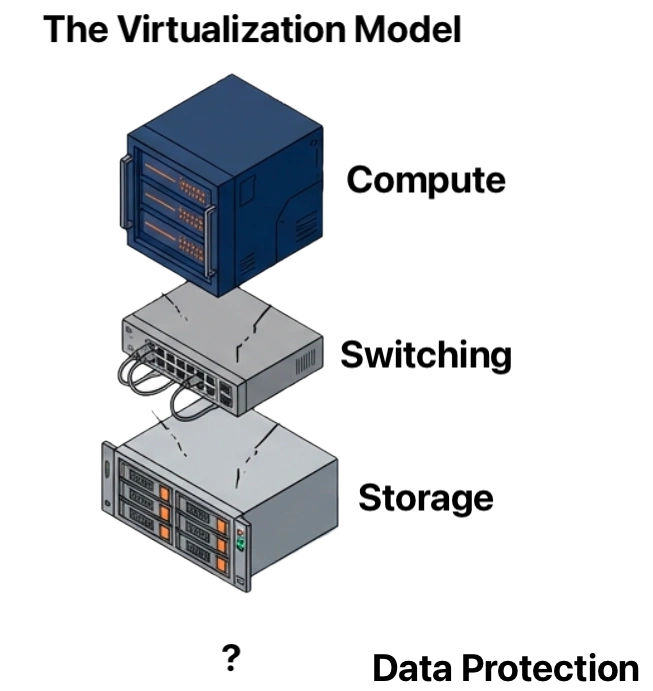
The classic three tier architecture means that:

  • Separate APIs for compute, storage, networking, and data protection layers
  • Code complexity grows exponentially with each infrastructure layer
  • Scripts require complete rewrites when infrastructure components change
  • Integration maintenance becomes an operational burden rather than an automation benefit
Midsize data center automation benefits Small IT Teams

When automation requires assembling multiple tools, stitching together fragile integrations, and rewriting scripts every time infrastructure changes, teams abandon it. Not because automation is unnecessary, but because it becomes another operational burden, and unlike enterprises, small IT teams cannot justify dedicating personnel to developing and maintaining infrastructure automation code whenever something in the environment changes.

For automation to succeed and deliver value in resource-constrained environments, it must survive change. That requirement forces IT teams toward one of two practical paths, from which everything else about automation flows.

Two Paths to Sustainable Automation for Small Teams

Path One: Strict Hardware Standardization

This approach limits vendors and even specific system models, so automation only interacts with a narrow, predictable set of hardware behaviors. The appeal is immediate where reduced complexity comes from predictable hardware behavior, automation targets a narrow, well-understood hardware set, and fewer integration points require management and maintenance.

Midsize data center automation

However, the disadvantages become apparent over time as vendors change product lines and discontinue models, while systems reach end-of-life and require replacement. Firmware behavior shifts between hardware generations, new capabilities from other vendors cannot be adopted, and rigid constraints block progress or force exceptions that break automation discipline.

Strict hardware standardization works initially, but as soon as a new infrastructure component is added or replaced, automation breaks. In practice, this approach is challenging to maintain because vendors evolve, systems retire, and business needs change faster than standardization policies can adapt.

Path Two: Infrastructure Abstraction

Midsize data center automation

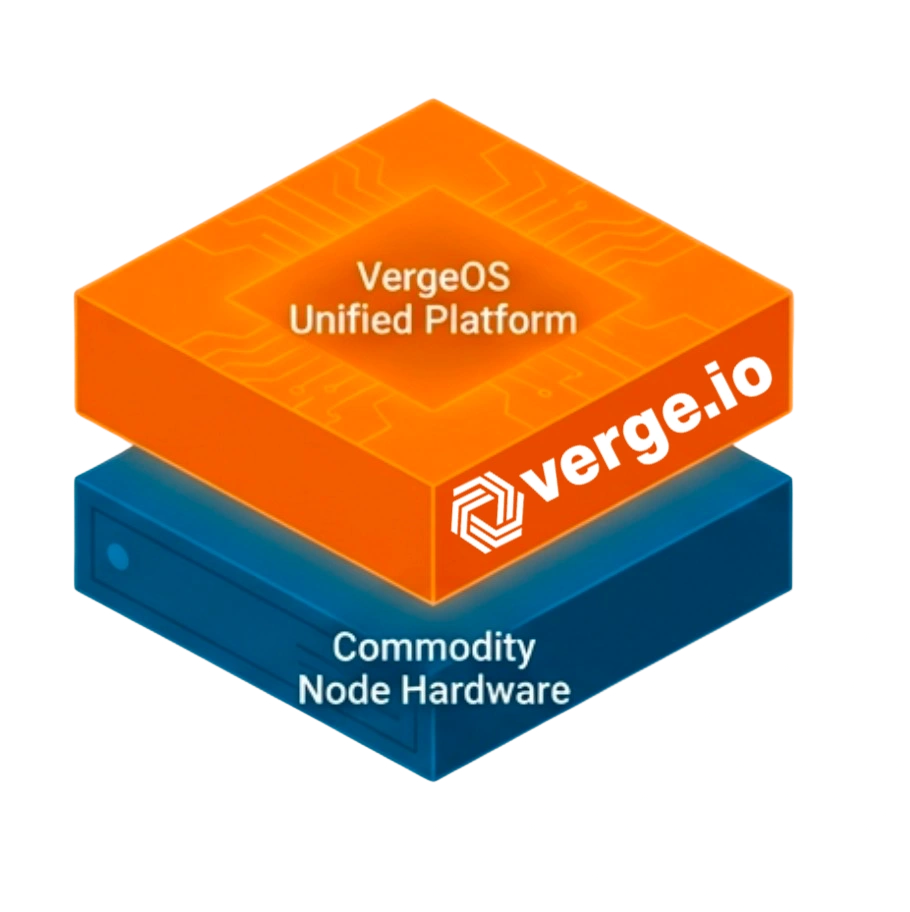
An infrastructure-wide operating system abstracts the control plane from hardware, moving infrastructure behavior into the software layer where automation interacts with a consistent operational model rather than individual hardware platforms. This approach allows servers, storage, and networking to be added, replaced, or moved without automation rewrites while hardware lifecycle changes happen beneath the automation and control layers. The consistent operational interface persists across infrastructure evolution, enabling teams to focus on business logic rather than hardware integration while automation remains stable for years across hardware generations.

The trade-off is straightforward: infrastructure abstraction requires adopting a new platform, which represents an architectural change, an initial migration from existing fragmented infrastructure, and a learning curve for the new operational model. For small IT teams, this path is the only one that holds up over time because fragmented infrastructure breaks automation regardless of initial standardization efforts. Hardware changes are inevitable, while platform abstraction makes those changes irrelevant to automation code.

How Infrastructure Abstraction Enables Automation

Automation becomes fragile when it depends on the details of individual components. Separate systems for compute, storage, networking, and data protection each bring their own interfaces, behaviors, and lifecycle rules, where every difference becomes something automation must account for. Over time, automation grows more complex than the operations it was meant to simplify.

Midsize data center automation

Unified infrastructure changes the dynamics by collapsing infrastructure behavior into a single operating system. Automation no longer targets individual devices or vendors; instead, it targets the platform, where provisioning, protection, recovery, and lifecycle operations follow the same patterns regardless of underlying hardware. This reduces code volume through a single API interaction, limited integration points that eliminate entire failure classes, and eliminates conditional branches, replacing brittle hardware-specific logic. Hardware changes become transparent to automation workflows while skills transfer faster through a consistent operational model.

The Automation Benefits for Small IT

For small IT teams, this consistency matters more than feature depth because it reduces the amount of code required, limits the number of integration points, and removes entire classes of failure. Automation becomes predictable instead of brittle.

This approach also aligns with how hardware actually changes in smaller environments where servers are added incrementally, storage is refreshed on different cycles, and networking evolves. With unified infrastructure, those changes happen beneath the automation layer, where existing workflows continue to run because the operational interface stays the same.

Organizations seeking to build end-to-end automation chains find that unified platforms eliminate the integration complexity that prevents resource-constrained teams from sustaining automation in the long term. In practice, unified infrastructure is the only way for midsize data centers to realize the full benefits of automation because the time required to build, test, and maintain automation across fragmented systems becomes impractical for limited staff. Automation either stalls or is abandoned because the maintenance burden exceeds the time savings. Unified infrastructure removes that barrier and makes automation sustainable rather than aspirational.

AspectFragmented InfrastructureUnified Infrastructure
Maintenance BurdenRewrites every 3-5 years per hardware refreshMinimal. Code survives hardware changes
Small Team Time15-20% maintaining compatibility<5% maintenance time
Hardware FlexibilityLocked into specific vendors/modelsAny commodity hardware works
Multi-Site AutomationSeparate code per locationSame code everywhere
Skills Transfer3-6 months learning curve2-4 weeks to productivity
5-Year ROIMaintenance exceeds savingsPositive ROI compounds within weeks

Implementation Strategy for Small IT Team Automation

Midsize data center automation

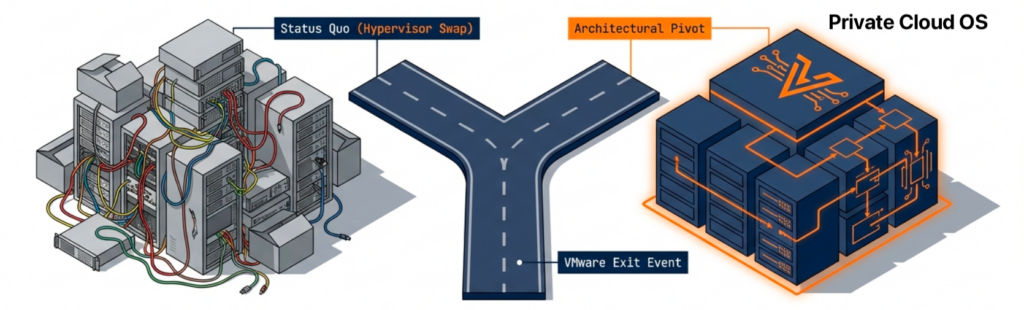
The VMware exit presents an excellent opportunity to reevaluate infrastructure architecture, as organizations already face disruption and change. That first step may focus on exiting VMware licensing costs, but choosing unified infrastructure lays the foundation for future hardware flexibility, durable automation routines, and significantly reduced operational costs. The migration window creates natural alignment between hypervisor replacement and infrastructure simplification, enabling both to occur in a single transition rather than as sequential projects.

Starting automation in people-constrained environments requires practical approaches that deliver value incrementally rather than demanding large upfront projects. The most effective strategy is to automate the next infrastructure task by default, regardless of whether you expect to perform it once or repeatedly, shifting automation from a future initiative to a present habit while building familiarity with tools through immediate operational context.

Do What’s Next

Starting with the next workflow rather than the highest-impact builds confidence. It creates reusable patterns that compound over time, where each automated task reduces future manual effort and accelerates subsequent automation. Capturing automation in version control transforms it into organizational knowledge rather than individual expertise, enabling new team members to follow established patterns and become productive faster without mastering every manual process.

Automation improves through regular practice rather than theoretical planning, where each automated task reinforces understanding and turns automation into an operational habit rather than a special project. Modern AI tools accelerate this process by generating initial Terraform modules, Ansible roles, and Packer templates quickly. At the same time, teams refine these drafts through review and testing, accelerating adoption without sacrificing quality.

For resource-constrained teams, incremental automation on a unified infrastructure delivers sustainable results, whereas large automation projects on fragmented infrastructure often fail.

Real-World Impact: Small Team Automation ROI

Organizations with limited IT staff report measurable automation benefits when infrastructure supports rather than resists automation efforts. Teams typically recover 10-15 hours weekly through automated provisioning, patching, and recovery workflows, which redirect that reclaimed time toward planning, validation, and capability improvement rather than repetitive manual tasks.

Midsize data center automation

Configuration drift elimination through automated enforcement prevents systems from diverging over time, while troubleshooting accelerates because systems behave predictably across production, test, and recovery environments. New team members become productive in weeks rather than months by following established automation patterns that embed operational knowledge in code rather than leaving it solely in individuals, reducing key-person dependency.

Infrastructure provisioning drops from hours to minutes through automated workflows while emergency response follows tested procedures rather than improvisation, reducing errors during high-pressure situations. The automation ROI calculation for midsize environments differs from enterprises because each automated task multiplies individual capacity rather than incrementally improving specialized team efficiency. When one person manages everything, automation becomes a force multiplier rather than a marginal improvement.

Conclusion: Making Small IT Team Automation Sustainable

Automation is not something midsize data centers adopt after reaching scale, but is required early to operate with limited staff and high response expectations. It is also what enables them to achieve scale. Manual processes leave no margin for error, while automating a fragmented architecture quickly consumes more time than it saves.

Unified infrastructure platforms make automation practical for small IT teams by abstracting the infrastructure control plane from hardware into software. Automation becomes durable, skills transfer faster, and operations remain consistent despite hardware changes.

The choice is not whether to automate, but whether to automate on infrastructure that supports or resists automation efforts. Resource-constrained teams cannot afford the ongoing maintenance burden that fragmented infrastructure imposes on automation frameworks. For small IT teams, automation is not an enterprise privilege but an operational requirement. Unified infrastructure makes that requirement achievable rather than aspirational.

Ready to explore midsize data center automation? Schedule a consultation with our automation experts to discuss how unified infrastructure eliminates fragmentation barriers and makes sustainable automation achievable for resource-constrained teams.

Frequently Asked Questions

Why is automation more important for midsize data centers than large enterprises?

Small IT teams managing midsize data centers face the same availability and response expectations as large enterprises but with a fraction of the staff. A team of one or two spans virtualization, storage, networking, security, and data protection where every automated task multiplies individual capacity across multiple disciplines. Automation ROI exceeds enterprise implementations because each automated workflow reclaims hours that would otherwise consume the entire team’s capacity, often determining whether teams stay ahead of operations or remain stuck reacting to them.

What prevents small teams from sustaining automation long-term?

Infrastructure fragmentation is the primary barrier where separate systems for compute, storage, networking, and data protection each introduce their own APIs, behaviors, and lifecycle rules. Code complexity grows exponentially with each infrastructure layer while scripts require complete rewrites when components change. Unlike enterprises, midsize data centers cannot justify dedicating personnel to maintain infrastructure automation code every time something in the environment changes, causing automation efforts to be abandoned when maintenance burden exceeds time savings.

Does standardizing on one vendor eliminate automation maintenance problems?

No. Vendors operate product lines as independent platforms with incompatible APIs where refreshing from one storage array model to another within the same vendor requires nearly as extensive automation rewrites as switching vendors entirely. Hardware standardization reduces initial complexity but breaks when vendors change product lines, systems reach end-of-life, or business needs require different capabilities. In practice, strict hardware standardization is difficult to maintain because vendors evolve, systems retire, and infrastructure needs change faster than standardization policies can adapt.

How does unified infrastructure make automation sustainable for small teams?

Unified infrastructure abstracts the control plane from hardware by integrating storage, compute, and networking into a single operating system with one API. Automation interacts with consistent operational models rather than individual hardware platforms where servers, storage, and networking can be added, replaced, or moved without automation rewrites. Hardware lifecycle changes happen beneath the automation layer, reducing maintenance time from 15-20% to under 5% of team capacity while enabling any commodity hardware to work without code changes.

Why is VMware exit a good time to establish automation foundation?

Organizations already face disruption and change during VMware migration where the window creates natural alignment between hypervisor replacement and infrastructure simplification. Traditional approaches treat these as sequential projects requiring two separate automation redesigns over 3-5 years. Choosing unified infrastructure during VMware exit combines both transitions into one project, laying foundation for future hardware flexibility, durable automation routines, and significantly reduced operational costs while avoiding duplicate disruption.

How should small teams start automation without overwhelming limited resources?

The most effective strategy is automating the next infrastructure task by default regardless of whether you expect to perform it once or repeatedly. Starting with the easiest workflow rather than highest impact builds confidence while creating reusable patterns that compound over time. Capturing automation in version control transforms it into organizational knowledge rather than individual expertise, enabling new team members to become productive in weeks rather than months. Modern AI tools accelerate adoption by generating initial Terraform modules and Ansible roles that teams refine through review and testing.

What ROI can small teams expect from sustainable automation?

Organizations with limited IT staff typically recover 10-15 hours weekly through automated provisioning, patching, and recovery workflows where that reclaimed time redirects toward planning, validation, and capability improvement. Configuration drift elimination through automated enforcement prevents systems from diverging over time while troubleshooting accelerates because systems behave predictably. Infrastructure provisioning drops from hours to minutes through automated workflows while emergency response follows tested procedures rather than improvisation, reducing errors during high-pressure situations.

Can existing automation transfer to unified infrastructure or does it require starting over?

Migration requires rewriting automation because the architectural model changes from managing separate storage arrays, network switches, and hypervisors to referencing integrated infrastructure services. However, this is a one-time rewrite that eliminates future refresh-driven maintenance entirely. The code simplifies because it no longer needs vendor detection logic, firmware version checks, or generation-specific conditionals. The automation investment becomes durable across decades of hardware refresh rather than requiring updates every 3-5 years when infrastructure components change.

Why is automation more important for midsize data centers than large enterprises?

Small IT teams managing midsize data centers face the same availability and response expectations as large enterprises but with a fraction of the staff. A team of one or two spans virtualization, storage, networking, security, and data protection where every automated task multiplies individual capacity across multiple disciplines. Automation ROI exceeds enterprise implementations because each automated workflow reclaims hours that would otherwise consume the entire team’s capacity, often determining whether teams stay ahead of operations or remain stuck reacting to them.

What prevents small IT teams from sustaining automation long-term?

Infrastructure fragmentation is the primary barrier where separate systems for compute, storage, networking, and data protection each introduce their own APIs, behaviors, and lifecycle rules. Code complexity grows exponentially with each infrastructure layer, while scripts require complete rewrites when components change. Unlike enterprises, midsize data centers cannot justify dedicating personnel to maintain infrastructure automation code whenever something in the environment changes, leading to automation efforts being abandoned when the maintenance burden exceeds the time savings.

Does standardizing on one IT vendor eliminate automation maintenance problems?

No. Vendors operate product lines as independent platforms with incompatible APIs where refreshing from one storage array model to another within the same vendor requires nearly as extensive automation rewrites as switching vendors entirely. Hardware standardization reduces initial complexity but breaks when vendors change product lines, systems reach end-of-life, or business needs require different capabilities. In practice, strict hardware standardization is difficult to maintain because vendors evolve, systems retire, and infrastructure needs change faster than standardization policies can adapt.

How does unified infrastructure make automation sustainable for small teams?

Unified infrastructure abstracts the control plane from hardware by integrating storage, compute, and networking into a single operating system with one API. Automation interacts with consistent operational models rather than individual hardware platforms where servers, storage, and networking can be added, replaced, or moved without automation rewrites. Hardware lifecycle changes happen beneath the automation layer, reducing maintenance time from 15-20% to under 5% of team capacity while enabling any commodity hardware to work without code changes.

Why is VMware exit a good time to establish automation foundation?

Organizations already face disruption and change during VMware migration where the window creates natural alignment between hypervisor replacement and infrastructure simplification. Traditional approaches treat these as sequential projects requiring two separate automation redesigns over 3-5 years. Choosing unified infrastructure during VMware exit combines both transitions into one project, laying foundation for future hardware flexibility, durable automation routines, and significantly reduced operational costs while avoiding duplicate disruption.

How should small teams start automation without overwhelming limited resources?

The most effective strategy is automating the next infrastructure task by default regardless of whether you expect to perform it once or repeatedly. Starting with the easiest workflow rather than highest impact builds confidence while creating reusable patterns that compound over time. Capturing automation in version control transforms it into organizational knowledge rather than individual expertise, enabling new team members to become productive in weeks rather than months. Modern AI tools accelerate adoption by generating initial Terraform modules and Ansible roles that teams refine through review and testing.

What ROI can small teams expect from sustainable automation?

Organizations with limited IT staff typically recover 10-15 hours weekly through automated provisioning, patching, and recovery workflows where that reclaimed time redirects toward planning, validation, and capability improvement. Configuration drift elimination through automated enforcement prevents systems from diverging over time while troubleshooting accelerates because systems behave predictably. Infrastructure provisioning drops from hours to minutes through automated workflows while emergency response follows tested procedures rather than improvisation, reducing errors during high-pressure situations.

Can existing automation transfer to unified infrastructure or does it require starting over?

Migration requires rewriting automation because the architectural model changes from managing separate storage arrays, network switches, and hypervisors to referencing integrated infrastructure services. However, this is a one-time rewrite that eliminates future refresh-driven maintenance entirely. The code simplifies because it no longer needs vendor detection logic, firmware version checks, or generation-specific conditionals. The automation investment becomes durable across decades of hardware refresh rather than requiring updates every 3-5 years when infrastructure components change.

Filed Under: Automation Tagged With: Alternative, Infrastructure as Code, IT infrastructure, VMware

December 23, 2025 by George Crump

in-place VMware exit

In-place VMware exits keeps existing server hardware in production and separates the software decision from the hardware lifecycle. The problem is that most VMware migration projects come bundled with assumptions that have nothing to do with software. The hypervisor decision triggers a server refresh. The server refresh triggers a storage evaluation. The storage evaluation opens questions about networking. What starts as a licensing response to Broadcom’s changes becomes a multi-quarter capital project with procurement dependencies, extended testing cycles, and compounding risk.

Key Takeaways
  • No hardware refresh required: VergeOS allows organizations to exit VMware on existing servers, separating the software decision from the hardware lifecycle.
  • Two migration paths: Teams with spare servers complete migration in 2 days to 2 weeks. Teams migrating in place complete in 4 days to 3 weeks.
  • 65% licensing cost reduction: VergeOS per-server licensing replaces VMware per-core subscriptions without long-term commitments.
  • 80% storage cost reduction: Off-the-shelf NVMe, SATA, or SAS SSDs replace dedicated-array storage at approximately one-seventh the cost.
  • 70% delay server refreshes: More than 70% of organizations delay or cancel planned server replacements within the first year after migration.
  • Rollback preserved throughout: VMware remains operational until final workloads move. No forced cutover. No global downtime.

It does not have to work this way. VergeOS enables in-place VMware exits on existing servers. The infrastructure upgrade happens through architectural change, not equipment replacement. Hardware refresh decisions return to their natural ROI-based timing. They are no longer compressed into migration windows or driven by vendor compatibility matrices.


📖 Key Terms
In-Place VMware Exit
A migration approach that keeps existing server hardware in production, replacing only the hypervisor and infrastructure software layer.
Infrastructure Operating System
A unified platform that abstracts compute, storage, and networking into a single operational surface, eliminating the need for separate management tools.
vSAN
Virtual storage area network created from off-the-shelf SSDs installed in server drive bays, replacing dedicated storage arrays at a fraction of the cost.
Hardware Abstraction
The ability to run infrastructure software across heterogeneous server hardware without compatibility constraints or performance penalties.
Global Deduplication
Inline storage efficiency that eliminates duplicate data blocks across all workloads, reducing capacity requirements as workloads migrate.
Per-Server Licensing
VergeOS licensing model based on server count rather than core count, without long-term subscription commitments.

The Case for In-Place VMware Exits

Server refresh is the forcing function that inflates the VMware migration scope. Even when storage arrays stay in place, the hypervisor transition typically coincides with server replacement. Compatibility requirements, support matrices, and vendor guidance push organizations toward new hardware during the platform change.

That bundling creates sequencing pressure. IT teams complete a VMware exit and immediately face secondary projects. Storage refresh follows when new servers exhibit different performance characteristics or when existing arrays no longer align with the environment. Network refresh follows when new server platforms introduce different NIC configurations or fabric requirements. Each project carries its own planning cycle, testing effort, and risk profile.

Each Refresh Breaks Automation

A VMware exit that requires an entirely new set of servers compounds an already fragile automation architecture. Fragmented infrastructure, common in VMware environments, breaks automation, especially during platform transitions. Infrastructure-as-code must be rewritten for the new hypervisor during the VMware exit. If servers change at the same time, automation requires a more extensive rewrite. Templates, drivers, and performance profiles all shift at once. When storage or networking platforms refresh later, automation breaks a third time. The same workflows are repeatedly reworked because they remain tied directly to specific hardware generations.

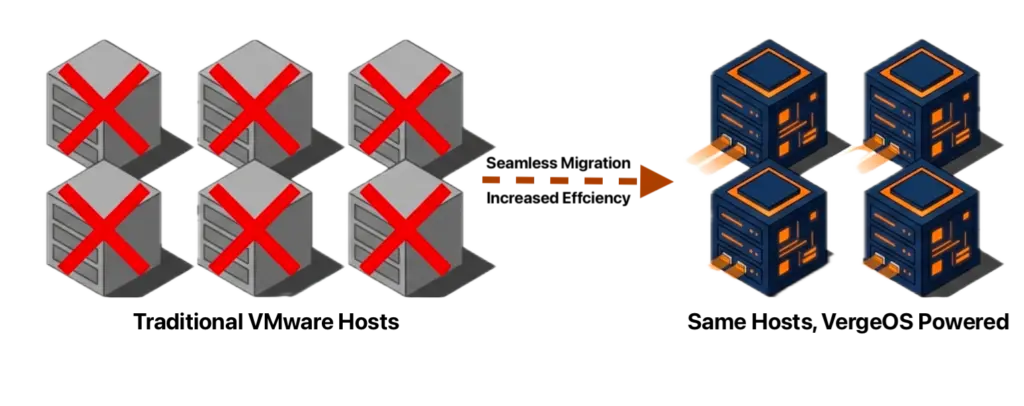
VergeOS separates that coupling by providing in-place VMware exits. The hypervisor layer changes first, allowing it to keep running production workloads. Often, the unified platform uses these servers more efficiently than VMware did, thereby delaying or eliminating planned server replacements. When additional servers are required, new servers are added gradually, not all at once. Automation is configured once, and thanks to VergeOS’s abstraction, it doesn’t need to be changed when hardware is upgraded, maximizing automation ROI.

Two In-Place Migration Paths

Organizations approach VMware migration from different starting conditions. Some have unused servers or plan to purchase new ones. Others operate at full capacity with no hardware to reallocate. In all scenarios, teams add off-the-shelf NVMe, SATA, or SAS SSDs to existing server drive bays. These drives cost approximately seven times less than dedicated-array storage. A vSAN is created, and migration begins.

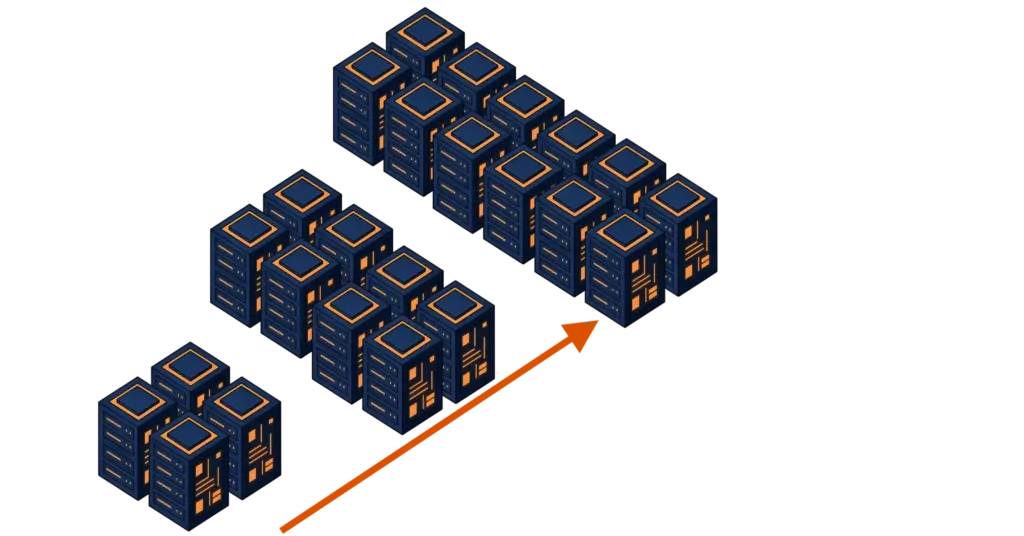
When extra servers are available, they become the foundation of the new environment. VergeOS is installed on the spare or new hardware first, and these systems form an initial VergeOS instance running alongside VMware. Workloads migrate incrementally at the virtual machine level. Each VM is moved, validated, and placed into production on VergeOS before the next migration begins. As VMware hosts are freed, they are re-imaged and added to the VergeOS instance. The new environment grows organically as the VMware footprint contracts. These migrations typically complete in two days to two weeks.

in-place VMware exit
Migration to VergeOS with Spare Servers

When no extra servers are available, migration occurs entirely in place. Workloads evacuate from a single VMware host to the remaining VMware nodes. That freed host is re-imaged and becomes the first VergeOS node. Workloads then migrate to VergeOS as capacity allows, and additional VMware hosts are converted one at a time. The cluster expands incrementally over a timeline spanning four days to three weeks. No parallel infrastructure is required. No global cutover with extended downtime is necessary.

in-place VMware exit
Migration to VergeOS with Existing Servers

Both paths preserve rollback options throughout. VMware remains operational until the final workloads move. There is no forced decision point until the environment is already stable on VergeOS. The in-place VMware exit remains controlled and reversible at every step.

In-Place Data Handling

Data typically becomes the pacing factor in VMware migrations. Data gravity, protection requirements, and performance concerns push teams toward complex staging designs or third-party migration tools. The anxiety around storage often delays projects or inflates their scope.

in-place VMware exit
Data Moves with VM

VergeOS removes that pressure. Virtual machine data moves with the VM during migration, whether that data resides on local VMware host storage, a NAS platform, or a dedicated SAN. Data is not copied out, transformed, and re-ingested as a separate process. As each workload arrives, VergeOS storage services absorb it directly into the unified platform.

Data services activate immediately. Inline global deduplication begins as workloads land, and snapshot schedules, replication policies, and protection rules apply at migration time. Data protection improves as the migration progresses rather than being temporarily weakened. Teams migrate incrementally without exposing gaps in recovery coverage.

Licensing During In-Place VMware Exits

VMware and VergeOS operate concurrently during migration. This overlap is intentional and allows workloads to move at an operational pace without forcing an artificial cutover date.

VMware licensing applies only to hosts running VMware workloads. As virtual machines migrate and VMware hosts are freed, those hosts exit the VMware licensing footprint. The licensed core count declines naturally as the environment contracts. Final VMware host conversion can align with subscription renewal dates or contract milestones. Licensing exposure decreases incrementally as progress is made.

Financial risk stays proportional to actual VMware usage. Licensing decisions become part of sequencing and planning rather than an external deadline imposed on the project.

Operations After In-Place Migration

Once migration completes, the operational model simplifies rather than becoming more complex. VergeOS removes entire classes of infrastructure components that previously required independent deployment, monitoring, and lifecycle management.

There are no storage virtual machines to size, patch, or troubleshoot. No network virtual machines are acting as intermediaries between workloads and the physical fabric. External SAN dependencies disappear, and operations consolidate around a single management plane for compute, storage, and networking.

The net effect is fewer layers, fewer failure domains, and fewer operational exceptions. Future changes occur within a stable operational model and do not reintroduce fragmentation over time.

In-Place VMware Exits Measured Results

Organizations executing an in-place VMware exit to VergeOS typically see a 65% reduction in infrastructure software licensing costs, and storage costs are reduced by 80% or more. More than 70% of organizations delay or cancel server refreshes originally scheduled for the first year after migration. The hardware they expected to replace continues to perform better than it did under VMware. Migration timelines range from one to four weeks, depending on starting conditions, and teams exit VMware without emergency maintenance windows or elevated operational risk.

Infrastructure modernization becomes incremental. Capacity is added when needed, not when a vendor contract forces the issue. The environment stops feeling transitional and starts behaving like a long-term platform.

The in-place VMware exit becomes a managed milestone, not a crisis event. Change happens deliberately, once, and gives way to a durable operating model that supports incremental growth and long-term planning.

Frequently Asked Questions
Can I migrate from VMware without buying new servers?

Yes. VergeOS delivers an in-place VMware exit that keeps existing server hardware in production. The hypervisor and infrastructure layer change first. Existing servers continue running workloads throughout the transition. More than 70% of organizations delay or cancel planned server refreshes within the first year after migration.

How long does an in-place VMware exit take?

Migration timelines range from one to four weeks depending on starting conditions. Organizations with spare servers typically complete migration in 2 days to 2 weeks. Organizations migrating entirely in place typically complete in 4 days to 3 weeks. No global cutover or extended downtime is required.

What happens to my data during migration?

Virtual machine data moves with the VM during migration, whether that data resides on local VMware host storage, a NAS platform, or a dedicated SAN. Data is not copied out, transformed, and re-ingested as a separate process. VergeOS storage services absorb each workload directly. Inline global deduplication, snapshot schedules, and protection rules apply at migration time.

Do I have to shut down VMware all at once?

No. VMware and VergeOS operate concurrently during migration. Workloads migrate incrementally at the virtual machine level. VMware remains operational until the final workloads move. There is no forced decision point until the environment is already stable on VergeOS. Rollback options are preserved throughout the process.

What cost savings can I expect?

Organizations executing an in-place VMware exit to VergeOS typically see a 65% reduction in infrastructure software licensing costs and storage costs reduced by 80% or more. VergeOS uses per-server licensing without long-term subscription commitments, and off-the-shelf SSDs replace dedicated-array storage at approximately one-seventh the cost.

What if I need to roll back?

Rollback options are preserved throughout the migration. VMware remains fully operational until the final workloads move. Any workload can be paused, reversed, or deferred without affecting the rest of the environment. There is no forced cutover and no global downtime. The in-place VMware exit remains controlled and reversible at every step.

What hardware do I need to add?

Teams add off-the-shelf NVMe, SATA, or SAS SSDs to existing server drive bays. These drives cost approximately seven times less than dedicated-array storage. A vSAN is created from these drives, and migration begins. No new servers are required. VergeOS runs on heterogeneous hardware without compatibility constraints.

Can I migrate from VMware without buying new servers?

Yes. VergeOS delivers an in-place VMware exit that keeps existing server hardware in production. The hypervisor and infrastructure layer change first. Existing servers continue running workloads throughout the transition. More than 70% of organizations delay or cancel planned server refreshes within the first year after migration.

How long does an in-place VMware exit take?

Migration timelines range from one to four weeks, depending on starting conditions. Organizations with spare servers typically complete migration in 2 days to 2 weeks. Organizations migrating entirely in place generally complete in 4 days to 3 weeks. No global cutover or extended downtime is required.

What happens to my data during migration?

Virtual machine data moves with the VM during migration, whether it resides on the local VMware host storage, a NAS platform, or a dedicated SAN. Data is not copied out, transformed, and re-ingested as a separate process. VergeOS storage services absorb each workload directly. Inline global deduplication, snapshot schedules, and protection rules apply during migration.

Do I have to shut down VMware all at once?

No. VMware and VergeOS operate concurrently during migration. Workloads migrate incrementally at the virtual machine level. VMware remains operational until the final workloads move. There is no forced decision point until the environment is already stable on VergeOS. Rollback options are preserved throughout the process.

What cost savings can I expect?

Organizations executing an in-place VMware exit to VergeOS typically see a 65% reduction in infrastructure software licensing costs and storage costs reduced by 80% or more. VergeOS uses per-server licensing without long-term subscription commitments, and off-the-shelf SSDs replace dedicated-array storage at approximately one-seventh the cost.

What if I need to roll back?

Rollback options are preserved throughout the migration. VMware remains fully operational until the final workloads move. Any workload can be paused, reversed, or deferred without affecting the rest of the environment. There is no forced cutover and no global downtime. The in-place VMware exit remains controlled and reversible at every step.

What hardware do I need to add?

Teams add off-the-shelf NVMe, SATA, or SAS SSDs to existing server drive bays. These drives cost approximately seven times less than dedicated-array storage. A vSAN is created from these drives, and migration begins. No new servers are required. VergeOS runs on heterogeneous hardware without compatibility constraints.

Filed Under: VMwareExit Tagged With: Alternative, IT infrastructure, VMware

December 17, 2025 by George Crump

Abstracted infrastructure saves automation by eliminating the variables that cause deployment failures across locations. When hardware differences become invisible to automation code, organizations gain the reliability that infrastructure-as-code promises.

Key Takeaways

Abstracted infrastructure saves automation by eliminating hardware variables that cause deployment failures. When the infrastructure operating system presents consistent interfaces regardless of underlying equipment, automation code works identically across production, DR, test, and edge environments without modification. Hardware refresh cycles no longer break automation pipelines.

Virtual data centers encapsulate complete environments as single objects. A VDC contains compute resources, storage volumes, network topologies, and protection policies in one logical construct. Terraform modules manipulate VDCs as units rather than coordinating separate infrastructure components. When a VDC replicates to a DR site, the entire environment arrives ready to activate.

VMware exits create natural migration windows for infrastructure simplification. Organizations can address architectural fragmentation during hypervisor transitions rather than maintaining three-tier complexity under a different vendor. Unified platforms eliminate expensive storage arrays in favor of affordable commodity SSDs while delivering both VMware replacement and automation reliability in one transition.

Traditional three-tier architecture exposes hardware details to automation tools:

  • Packer must build multiple image variants for different storage backends
  • Terraform modules must account for specific storage array APIs
  • Ansible roles must handle different network switch configurations
  • Monitoring integrations must adapt to vendor-specific metric formats
abstracted infrastructure saves automation

This hardware dependency creates brittleness. Code that works in one environment fails in another when underlying components differ. Abstracted infrastructure saves automation by providing consistent infrastructure services regardless of the underlying hardware.

Key Terms & Concepts

Infrastructure Abstraction: The practice of hiding hardware-specific details from automation tools by presenting consistent infrastructure services through a unified API, allowing automation code to remain stable across equipment changes and locations.

Virtual Data Center (VDC): A VergeOS construct that encapsulates an entire environment as a single object, including compute resources, storage volumes, network topologies, and protection policies, enabling automation tools to manipulate complete infrastructures as units.

Commodity Storage: Standard SATA and NVMe SSDs installed directly in servers rather than proprietary external storage arrays. VergeOS uses commodity drives to eliminate vendor-specific APIs and reduce infrastructure costs while maintaining enterprise capabilities.

Platform Abstraction Layer: The component of an infrastructure operating system that translates service-level definitions into hardware-specific configurations while presenting stable interfaces to automation tools and guest operating systems.

Service-Level Definition: Infrastructure specifications that describe capacity requirements, performance characteristics, and isolation policies without referencing specific hardware models or vendor features.

Where Abstracted Infrastructure Enables Success

A healthcare provider operates production infrastructure in their primary data center with DR capacity at a secondary facility. The production environment runs on servers that are one year old. The DR site runs on seven-year-old servers that were once in production. Both environments must support identical electronic health record systems with strict recovery time objectives.

The infrastructure team deploys VergeOS at both locations. The unified infrastructure operating system integrates storage, compute, and networking into a single platform with one API. VergeOS uses commodity SATA and NVMe SSDs installed directly in servers rather than external storage arrays, eliminating both array-specific APIs and the costs of proprietary hardware while entirely abstracting differences between production and DR hardware.

The team uses Packer to build golden images for their application servers. One template creates images that work at both sites without storage-backend-specific drivers or hardware-specific configurations. VergeOS provides consistent storage and network interfaces to guest operating systems regardless of underlying hardware, so boot behavior remains predictable, and device mappings stay constant across sites.

Terraform modules define virtual data centers (VDC) using these golden images. Each VDC encapsulates compute resources, storage volumes, network configurations, and protection policies into a single object, accessible through VergeOS APIs without requiring hardware-specific commands.

During quarterly DR testing, the automation pipeline executes identically at both sites. Packer images deploy without modification. Terraform provisioning succeeds despite different underlying hardware generations. Network configurations work correctly across switch types. Monitoring functions uniformly across equipment ages. The DR test completes in minutes, meeting the four-hour RTO requirement and building confidence that actual disaster scenarios will follow the same reliable pattern.

Abstracted infrastructure saves automation by making hardware differences irrelevant to deployment code.

Abstracted Infrastructure Saves Automation Pipelines

Traditional infrastructure exposes hardware details via separate management APIs, forcing Packer to account for storage-array variations during image creation. Different storage vendors require different guest tools, device drivers, and boot configurations. Teams maintain multiple image variants—one for each array vendor, including legacy systems that resist replacement.


Join VergeIO for a deep-dive session introducing the new automation capabilities coming to VergeOS, including support for Packer and Ansible. Register Now


This fragmentation extends through the entire automation chain. Storage arrays from different vendors require different Terraform providers. Network equipment from different generations needs different Ansible modules. Organizations attempt to solve this through conditional logic, where templates detect target platforms and branch accordingly, creating fragile code that breaks when hardware changes.

Hardware refresh cycles clearly demonstrate the problem. Production gets new storage arrays with different firmware, and Packer images that worked for years suddenly fail because arrays present storage differently. Device mappings change. Teams rebuild image variants for new hardware while Terraform modules update to reference new image IDs. Weeks pass as the pipeline is updated to accommodate vendor-specific changes, while DR sites drift further from production.

Abstracted infrastructure saves automation by eliminating this maintenance burden. VergeOS presents stable interfaces to both automation tools and guest operating systems while handling hardware variations internally. The platform uses affordable commodity SATA and NVMe SSDs instead of proprietary storage arrays, abstracting drive differences through the infrastructure OS. Packer builds one golden image that works everywhere. Terraform modules remain unchanged during equipment refreshes. The automation code stays focused on application requirements rather than storage vendor compatibility.

abstracted infrastructure saves automation

VergeOS Virtual Data Centers Provide Abstracted Infrastructure

VergeOS is an example of how abstracted infrastructure saves automation by implementing abstraction as a core design principle. The virtual data center architecture treats an entire environment as a single, encapsulated object, with compute resources, storage volumes, network topologies, and protection policies existing within a single logical construct.

Packer templates build images by launching temporary VMs within a VDC, provisioning software through Ansible, and capturing the configuration. The golden images work across all VergeOS deployments because the platform maintains consistent guest interfaces, ensuring that boot behavior remains predictable, storage device names remain constant, and network adapter ordering does not shift between hardware generations.

abstracted infrastructure saves automation

Terraform modules define VDCs through the VergeOS API with a single resource block that creates complete infrastructure. The module specifies capacity requirements, performance characteristics, and network isolation policies, and references Packer-built golden images. VergeOS translates these service-level definitions into hardware-specific configurations tailored to whatever equipment exists at that location.

Storage provisioning demonstrates the abstraction effectively. A Terraform module requests storage with specific IOPS and capacity targets without specifying drive types, data protection configurations, or vendor-specific features. VergeOS allocates storage from available commodity SSDs while meeting performance requirements. The same module works identically whether the site runs older SATA SSDs or newer NVMe drives, abstracting drive performance differences at the platform level.

This approach eliminates both the complexity and cost of traditional storage arrays. Organizations deploy affordable commodity drives instead of proprietary storage systems while gaining consistent automation behavior across all hardware generations. The infrastructure OS handles data protection, performance optimization, and capacity management internally.

Protection policies integrate at the VDC level. Snapshot schedules, replication targets, and retention policies attach to the virtual data center object. When the VDC replicates to a DR site, protection policies replicate along with golden images and infrastructure definitions. Teams do not rebuild backup configurations or re-create images at the remote location—the complete environment arrives ready to activate.

VMware Exit And Abstracted Infrastructure

Organizations evaluating VMware alternatives face a strategic decision point. Infrastructure automation should be part of your VMware exit strategy, not an afterthought. The disruption of migration creates a natural opportunity to address the architectural fragmentation that undermines automation reliability.

Traditional VMware exits maintain a three-tier architecture while swapping hypervisors. Teams update their automation to call different APIs but preserve the underlying fragmentation. External storage arrays remain with their vendor-specific interfaces. Network fabrics operate separately. The automation complexity persists under a different vendor name.

Unified infrastructure platforms eliminate this pattern by integrating storage, compute, and networking from the start. Organizations gain both a VMware replacement and infrastructure simplification in one transition. The approach also eliminates expensive storage arrays in favor of affordable commodity SSDs, reducing capital costs while improving automation reliability. The timing aligns naturally with storage refresh cycles, combining two disruptive projects into a single migration that delivers operational improvements and cost reduction alongside hypervisor alternatives.

The Abstracted Infrastructure Operational Advantage

Abstracted infrastructure saves automation by transforming the entire automation workflow. Packer images remain stable across infrastructure changes. Terraform deployments succeed predictably at any location. Ansible configurations apply consistently everywhere. The pipeline becomes reliable because the substrate supports it rather than resisting it.

DR testing evolves from a dreaded quarterly event into a routine validation. Tests execute reliably because automation behaves predictably. Teams validate business continuity plans rather than debugging infrastructure code differences, building confidence in actual disaster recovery through consistent test success.

Development and test environments gain production fidelity as teams create environments that mirror production characteristics without duplicating hardware. Packer images are built for production work in test environments. Developers test against infrastructure that behaves like production because the same platform manages both, reducing deployment surprises through consistent environments.

Abstracted infrastructure reduces automation overhead by eliminating hardware variables that cause deployment failures. Organizations gain reliable disaster recovery, predictable testing, portable infrastructure code, and lower storage costs. When the platform handles complexity internally using commodity hardware, automation tools deliver the consistency that makes infrastructure-as-code valuable.

Frequently Asked Questions

Why does hardware abstraction matter more for DR automation than production automation?

DR sites typically run on different hardware than production due to refresh cycles and budget constraints. Production might use newer equipment while DR runs on older servers. Without abstraction, this hardware difference forces separate automation code for each location, causing configuration drift and unreliable failover. Abstraction enables identical automation at both sites despite hardware age differences.

How does VergeOS eliminate the need for external storage arrays?

VergeOS uses commodity SATA and NVMe SSDs installed directly in servers rather than connecting to external storage arrays. The infrastructure operating system handles data protection, performance optimization, and capacity management internally. This eliminates vendor-specific storage APIs, reduces costs compared to proprietary arrays, and simplifies automation by removing an entire layer from the infrastructure stack.

Can existing Packer templates be migrated to VergeOS, or do they require complete rewrites?

Existing Packer templates typically require modification but not complete rewrites. The provisioning logic (installing software, configuring settings) remains the same. Changes focus on removing storage-array-specific drivers and hardware-dependent configurations that are no longer needed. Templates become simpler because VergeOS presents consistent storage and network interfaces that do not require conditional logic for different backends.

What happens to automation when hardware gets refreshed at one site but not others?

Nothing. The automation continues working unchanged. VergeOS abstracts hardware differences at the platform level, so new servers with different drive types or network adapters join clusters without requiring updates to Packer templates, Terraform modules, or Ansible playbooks. The infrastructure operating system handles the hardware variations internally while maintaining consistent interfaces to automation tools.

How does virtual data center replication differ from traditional storage replication?

Traditional storage replication copies data at the array level, requiring separate systems to rebuild infrastructure definitions and configurations at the DR site. VDC replication copies the entire environment as one object including compute definitions, network topologies, protection policies, and golden images. When the VDC arrives at the DR site, it is ready to activate without rebuilding configurations or coordinating across multiple systems.

Does abstraction mean vendor lock-in to VergeOS?

Abstraction trades infrastructure complexity for platform dependency. Traditional multi-vendor approaches avoid platform lock-in but create automation lock-in through hardware-specific code that becomes difficult to migrate. VergeOS creates platform dependency but eliminates automation complexity. The decision depends on whether infrastructure fragmentation or platform dependency poses greater long-term risk and cost to your organization.

Can development and test environments use older hardware than production?

Yes. This is one of the key benefits of abstraction. Development and test environments can run on repurposed hardware that production retired years ago. The same Packer images deploy successfully. The same Terraform modules provision infrastructure correctly. Applications behave identically because VergeOS maintains consistent interfaces regardless of underlying equipment age or performance characteristics.

How does this approach affect VMware migration timelines?

Organizations can combine VMware exit with infrastructure simplification in one project rather than sequential migrations. This reduces total disruption time and delivers both hypervisor replacement and automation improvements together. The unified approach also eliminates storage array refresh as a separate project because VergeOS uses commodity drives instead of external arrays.

What monitoring changes are required when moving to abstracted infrastructure?

Monitoring simplifies significantly. Organizations replace vendor-specific Prometheus exporters for storage arrays, backup software, and hypervisors with a single exporter that queries VergeOS APIs. Grafana dashboards consolidate because metrics follow consistent structures across all infrastructure components. Alert rules simplify because the platform exposes standardized telemetry regardless of underlying hardware variations.

How quickly can organizations see ROI from infrastructure abstraction?

Time savings appear immediately during the first DR test when automation works identically at both sites without debugging. Ongoing savings accumulate through reduced maintenance as hardware refreshes occur without automation updates. Cost savings from eliminating proprietary storage arrays and reducing administrative overhead typically deliver measurable ROI within the first year.

Why does hardware abstraction matter more for DR automation than production automation?

DR sites typically run on different hardware than production due to refresh cycles and budget constraints. Production might use newer equipment while DR runs on older servers. Without abstraction, this hardware difference forces separate automation code for each location, causing configuration drift and unreliable failover. Abstraction enables identical automation at both sites despite hardware age differences.

How does VergeOS eliminate the need for external storage arrays?

VergeOS uses commodity SATA and NVMe SSDs installed directly in servers rather than connecting to external storage arrays. The infrastructure operating system handles data protection, performance optimization, and capacity management internally. This eliminates vendor-specific storage APIs, reduces costs compared to proprietary arrays, and simplifies automation by removing an entire layer from the infrastructure stack.

Can existing Packer templates be migrated to VergeOS, or do they require complete rewrites?

Existing Packer templates typically require modification but not complete rewrites. The provisioning logic (installing software, configuring settings) remains the same. Changes focus on removing storage-array-specific drivers and hardware-dependent configurations that are no longer needed. Templates become simpler because VergeOS presents consistent storage and network interfaces that do not require conditional logic for different backends.

What happens to automation when hardware gets refreshed at one site but not others?

Nothing. The automation continues working unchanged. VergeOS abstracts hardware differences at the platform level, so new servers with different drive types or network adapters join clusters without requiring updates to Packer templates, Terraform modules, or Ansible playbooks. The infrastructure operating system handles the hardware variations internally while maintaining consistent interfaces to automation tools.

How does virtual data center replication differ from traditional storage replication?

Traditional storage replication copies data at the array level, requiring separate systems to rebuild infrastructure definitions and configurations at the DR site. VDC replication copies the entire environment as one object including compute definitions, network topologies, protection policies, and golden images. When the VDC arrives at the DR site, it is ready to activate without rebuilding configurations or coordinating across multiple systems.

Can development and test environments use older hardware than production?

Yes. This is one of the key benefits of abstraction. Development and test environments can run on repurposed hardware that production retired years ago. The same Packer images deploy successfully. The same Terraform modules provision infrastructure correctly. Applications behave identically because VergeOS maintains consistent interfaces regardless of underlying equipment age or performance characteristics.

How does this approach affect VMware migration timelines?

Organizations can combine VMware exit with infrastructure simplification in one project rather than sequential migrations. This reduces total disruption time and delivers both hypervisor replacement and automation improvements together. The unified approach also eliminates storage array refresh as a separate project because VergeOS uses commodity drives instead of external arrays.

What monitoring changes are required when moving to abstracted infrastructure?

Monitoring simplifies significantly. Organizations replace vendor-specific Prometheus exporters for storage arrays, backup software, and hypervisors with a single exporter that queries VergeOS APIs. Grafana dashboards consolidate because metrics follow consistent structures across all infrastructure components. Alert rules simplify because the platform exposes standardized telemetry regardless of underlying hardware variations.

How quickly can organizations see ROI from infrastructure abstraction?

Time savings appear immediately during the first DR test when automation works identically at both sites without debugging. Ongoing savings accumulate through reduced maintenance as hardware refreshes occur without automation updates. Cost savings from eliminating proprietary storage arrays and reducing administrative overhead typically deliver measurable ROI within the first year.

Filed Under: Virtualization Tagged With: Alternative, Infrastructure as Code, IT infrastructure, VMware

December 3, 2025 by George Crump

Organizations evaluating Proxmox as a VMware alternative expect zero licensing costs, but they will also experience the Proxmox storage tax. This tax manifests itself in operational overhead, capacity inefficiency, and architectural compromises that extract payment in different ways. Proxmox offers ZFS for node-local storage and Ceph for distributed storage, each levying its own tax. A third option, external all-flash arrays, reintroduces the siloed infrastructure that drove organizations away from VMware in the first place.

Key Terms (Click to Expand)

Storage Tax: Hidden costs in operational overhead, capacity inefficiency, and architectural complexity that offset zero licensing fees in Proxmox deployments.

Per-Node Deduplication: Data reduction that operates independently on each server, missing duplicate data across multiple nodes in a cluster.

Global Deduplication: Data reduction that identifies and eliminates duplicate blocks across all nodes and workloads in an infrastructure.

SRE-Level Expertise: Site Reliability Engineering knowledge required to deploy and manage complex distributed systems like Ceph.

Rehydration Cycle: The process of expanding deduplicated data to full size for transmission, then re-deduplicating at the destination, consuming bandwidth and extending backup windows.

Infrastructure Operating System: A platform that unifies compute, storage, networking, and protection into a single codebase with shared metadata, eliminating coordination between independent subsystems.


Live Webinar

The ZFS Storage Tax

ZFS provides strong integrity features with checksumming, compression, and flexible RAID configurations. However, ZFS operates as a node-local construct—each Proxmox node maintains its own independent pool. The first tax arrives immediately: VMs cannot migrate freely because storage doesn’t follow the workload. Proxmox addresses this through asynchronous replication, but it introduces RPO windows during which data can be lost if the source node fails.

This capacity tax compounds the problem. Most deployments disable ZFS’s mature deduplication due to substantial RAM and CPU overhead. When enabled, deduplication operates per-node only—the same Windows image deployed across five nodes consumes five times the storage. In many-to-one DR scenarios, ten production nodes replicating to a single DR target could require ten times the logical capacity because each stream arrives independently. Organizations pay the storage tax at both production and DR sites.

Eliminating the ZFS Tax: VergeFS provides a global storage model spanning every node in the cluster. VMs move freely because every node sees the same metadata, block references, and deduplication catalog. Global inline deduplication covers every block across every workload without per-node RAM overhead. That Windows image used across twenty VMs consumes the space of a single image. DR targets receive unique deduplicated blocks—no duplicate tax at the DR site.

The Ceph Storage Tax

Ceph takes the opposite approach, providing distributed object storage that eliminates VM mobility problems. The tax here is expertise. Ceph demands SRE-level knowledge—the same discipline Google developed for hyperscale operations. Deployment requires understanding placement groups, CRUSH maps, and OSD management. Each client maintains a CRUSH map and performs placement calculations for every I/O operation, consuming CPU cycles that scale with cluster complexity. This is the compute tax—resources diverted from production workloads to storage overhead.

Ceph also levies a capacity tax. Production-ready deduplication doesn’t exist for VM workloads. Organizations accept inflated storage costs or implement separate deduplication at backup layers—paying for another product to solve a problem the platform should handle. Ceph’s redundancy models compound the burden—replicated pools require 3x raw storage for 1x usable capacity.

Eliminating the Ceph Tax: VergeOS delivers shared storage and VM mobility without Ceph’s expertise tax. There are no CRUSH maps to configure, no placement groups to tune, no OSD management overhead—storage scales linearly as nodes are added, with the platform automatically distributing data. No SRE team required. No compute cycles lost to placement calculations.

The External Array Storage Tax

Some organizations consider connecting Proxmox to external all-flash arrays. This path levies the most visible tax: premium controller pricing with excessive storage media markups—7X or more. Organizations pay not just for capacity but for proprietary hardware that could be replaced with commodity alternatives.

eliminate the Proxmox storage tax

The operational tax follows. Storage professionals comfortable with VMware’s vCenter face a learning curve with Proxmox’s Linux-centric management while still managing a separate array console. Scaling demands forklift upgrades rather than incremental growth—a capital expenditure tax that arrives every few years. Storage I/O traverses additional network hops, imposing a latency tax that integrated architectures avoid.

The dedicated-array approach essentially recreates the VMware-era architecture—expensive, siloed, and operationally fragmented—while eliminating the cost advantage that attracted organizations to Proxmox.

Eliminating the Array Tax: VergeOS removes the need for external arrays. Storage integrates directly into the Infrastructure Operating System, eliminating premium controller costs and proprietary markup. Organizations leverage commodity servers and standard storage media while achieving better efficiency through global deduplication than dedicated arrays deliver at their premium prices. Like arrays, VergeOS scales compute and storage independently with storage-only and compute-only nodes—but without vendor lock-in or forklift upgrades.

Storage ApproachStrengthsLimitations / “Tax”How VergeOS Eliminates the Tax
ZFS (Node-Local)Strong integrity, snapshots, and flexible RAIDPer-node dedupe, limited VM mobility, DR multiplies capacityGlobal storage, global dedupe, shared metadata, cluster-wide mobility
Ceph (Distributed)Shared storage, high resilienceRequires SRE expertise, no production dedupe, high CPU cost, 3x replication overheadShared storage without Ceph complexity, plus inline global dedupe
External Flash ArraysMature features, consistent performance7X+ media markup, vendor lock-in, forklift upgrades, added latencyCommodity hardware, integrated storage, no external array dependency
VergeFS (Integrated)Global dedupe, shared metadata, mobility, built-in protectionN/AUnifies compute, storage, and protection

The Data Protection Tax

Regardless of storage path, Proxmox requires Proxmox Backup Server or a third-party alternative for comprehensive data protection—another product to license, deploy, and manage. When production storage uses deduplication, data must be rehydrated to full size before transmission to PBS, which then re-deduplicates. This dedupe-rehydrate-dedupe cycle imposes a bandwidth tax, extends backup windows, and complicates recovery operations. Large environments pay the ultimate tax: recovery times measured in hours or days.

Eliminating the Protection Tax: VergeOS addresses data protection through integrated snapshots, ioReplicate, and ioFortify—eliminating rehydration cycles. Creating a snapshot is a metadata operation that completes in seconds regardless of data volume. Snapshots become independent, space-efficient, immutable clones. Recovery from ransomware involves advancing metadata to a known-good point—an operation that completes in seconds even for 100TB or 100PB environments—no separate backup product required.

The DR Tax

eliminate the Proxmox storage tax

Cross-site resilience with Proxmox requires different approaches depending on the storage backend, each extracting its own tax. ZFS environments combine asynchronous replication with backup-based DR through PBS. Ceph offers RBD mirroring or stretch clusters—each with distinct complexity taxes. External arrays introduce their own DR mechanisms requiring matching arrays at both locations, doubling hardware investment.

Organizations pay the coordination tax: aligning array-level replication with Proxmox VM configurations, ensuring replicated volumes match VM definitions, and spanning multiple management interfaces during failover.

Eliminating the DR Tax: Disaster recovery follows a single architectural pattern in VergeOS. Administrators create a Virtual Data Center at the DR location. ioReplicate sends deduplicated block changes to that VDC. VM configurations, networking rules, storage references, and protection policies remain consistent because they operate within the same Infrastructure Operating System. No coordination tax. No matching hardware tax. DR becomes an extension of the platform.

DR readiness is more crucial than choosing a VMware alternative hypervisor. If disaster recovery isn’t possible, the hypervisor you initially chose becomes irrelevant. Most hypervisors fall short of VMware’s DR capabilities, but VergeOS surpasses them by offering better DR features, reducing costs, and simplifying recovery management.

Key Takeaways

  • Proxmox’s zero licensing cost conceals significant storage taxes in operational overhead and capacity inefficiency.
  • ZFS per node deduplication multiplies storage requirements across clusters and DR sites.
  • Ceph demands SRE level expertise, creating ongoing operational costs most organizations underestimate.
  • External arrays reintroduce VMware era issues including premium pricing, vendor lock in, and siloed architecture.
  • VergeOS eliminates these taxes through global deduplication, unified architecture, and integrated data protection.


Stop Paying the Storage Tax

Proxmox’s zero licensing cost conceals taxes that arrive throughout the infrastructure lifecycle: capacity taxes from missing or per-node deduplication, expertise taxes from Ceph’s complexity, hardware taxes from external arrays, bandwidth taxes from rehydration cycles, and coordination taxes from multi-vendor DR.

VergeOS eliminates these taxes through a fundamentally different approach—an Infrastructure Operating System that unifies compute, storage, networking, and data protection into a single codebase. One update cycle. One management interface. One support team. No hidden taxes.

Storage is only one part of the infrastructure conversation when comparing Proxmox to VergeOS. Read our blog Comparing Proxmox to VergeOS to dive deeper into other important differences.

For production enterprise workloads, the Proxmox storage tax alone justifies evaluating an Infrastructure Operating System that eliminates these costs by design.

Frequently Asked Questions About Proxmox Storage Costs

What is the Proxmox storage tax?

The Proxmox storage tax refers to hidden operational costs, capacity inefficiencies, and architectural compromises that offset Proxmox’s zero licensing fee. These include per node deduplication limitations with ZFS, SRE level expertise requirements with Ceph, and premium hardware costs with external arrays.

Does ZFS deduplication work across Proxmox nodes?

No. ZFS deduplication operates per node only. The same data on five different nodes consumes five times the storage. This limitation extends to disaster recovery scenarios where many to one replication multiplies capacity requirements.

Why does Ceph require SRE level expertise?

Ceph demands distributed systems knowledge for deployment, tuning, and troubleshooting. Understanding placement groups, CRUSH maps, and OSD management requires skills beyond traditional storage administration, increasing operational costs.

Can external arrays eliminate Proxmox storage limitations?

External arrays solve some problems but introduce others, including high storage media markups, vendor lock in, forklift upgrade cycles, and the same siloed architecture organizations wanted to escape when leaving VMware.

How does VergeOS eliminate the Proxmox storage tax?

VergeOS provides global inline deduplication without per node overhead, shared storage without Ceph complexity, and integrated data protection without separate backup products, all within a unified Infrastructure Operating System.

What is the Proxmox storage tax?

The Proxmox storage tax refers to hidden operational costs, capacity inefficiencies, and architectural compromises that offset Proxmox’s zero licensing fee. These include per-node deduplication limitations with ZFS, SRE-level expertise requirements with Ceph, and premium hardware costs with external arrays.

Does ZFS deduplication work across Proxmox nodes?

No. ZFS deduplication operates per-node only. The same data on five different nodes consumes five times the storage. This limitation extends to DR scenarios where many-to-one replication multiplies capacity requirements.

Why does Ceph require SRE-level expertise?

Ceph requires knowledge of distributed systems for deployment, tuning, and troubleshooting. Understanding placement groups, CRUSH maps, and OSD management requires skills beyond traditional storage administration, increasing operational costs.

Can external arrays eliminate Proxmox storage limitations?

External arrays solve some problems but introduce others: 7X+ storage media markups, vendor lock-in, forklift upgrade cycles, and the same siloed architecture organizations wanted to escape from VMware.

How does VergeOS eliminate the Proxmox storage tax?

VergeOS provides global inline deduplication without per-node overhead, shared storage without Ceph complexity, and integrated data protection without separate backup products—all within a unified Infrastructure Operating System.

Filed Under: Storage Tagged With: Alternative, KVM, Proxmox, VMware

December 2, 2025 by George Crump

When IT professionals start comparing Proxmox to VergeOS, they often assume the decision centers on choosing a new hypervisor to replace VMware. The real decision is determining if virtualization, networking, availability, and data protection can function as a single system. A platform succeeds only when these elements move together.

Proxmox feels familiar to teams with strong Linux experience, giving the sense that a hypervisor swap offers a clean transition. That impression changes once teams evaluate how Proxmox connects compute, networking, storage, and protection. Each part operates independently, and administrators must keep those parts aligned.

VergeOS takes a different path by treating the hypervisor as a service inside an Infrastructure Operating System. Compute, storage, networking, mobility, and protection follow the same architectural rules across all nodes. Each service draws from the same metadata structure, eliminating the coordination work that modular platforms impose on the operator. Teams gain a predictable environment for migrations, failovers, and growth because the platform manages these functions as one system.

This distinction frames the rest of the comparison. A platform built from independent subsystems introduces drift, coordination work, and rising complexity as clusters grow. A platform that unifies core functions creates a consistent environment for mobility, networking, and recovery. The contrast becomes more apparent as teams examine how Proxmox and VergeOS behave under load, during failures, and during cluster expansion.

Comparing Proxmox to VergeOS: Architectures

A Modular Assembly of Independent Components

comparing Proxmox to VergeOS

Proxmox assembles its platform from separate elements. KVM supplies compute. Linux provides the operating base. ZFS, Ceph, or an external array can supply storage. Networking depends on Linux bridges, VLAN constructs, or Open vSwitch. Backup requires Proxmox Backup Server (PBS) or a third-party tool. Each component behaves well alone. None forms a unified architecture. While the Proxmox GUI attempts to hide the independence of these components, administrators must align these pieces before the environment can produce predictable results.

Networking as a Separate System

Networking highlights this pattern. Each Proxmox node implements Linux networking constructs for packet forwarding. Bridges, bonds, and VLAN definitions require manual configuration. Each option introduces its own behaviors and its own failure characteristics. When teams want consistent mobility, they must maintain identical configurations across nodes. Drift appears quickly because each node evolves with its own configuration history.

Storage Fragmentation Across the Cluster

Storage follows the same structure. ZFS delivers node-local storage. Ceph delivers distributed storage. External arrays centralize storage. Each model uses different tuning guidelines, scaling behaviors, and recovery patterns. Proxmox does not unify these components across the cluster. Administrators test combinations, confirm compatibility, and correct issues as nodes evolve. Flexibility increases, but so does the integration burden. We dive deeper into the challenges of storage in our white paper “Understanding the Proxmox Storage Challenges”, available exclusively to attendees of our upcoming webinar, “VergeOS or Proxmox, A Closer Look at VMware Successors.”

Protection and Availability in Separate Domains

Availability and protection follow the same split. The Proxmox HA manager operates independently from storage. PBS handles protection separately. Each follows different rules for recovery, retention, and consistency. Coordinating these functions becomes the operator’s responsibility. Proxmox delivers the parts. The user builds the system.

VergeOS Takes a Different Path

VergeOS embeds the hypervisor within an Infrastructure Operating System that integrates compute, storage, networking, protection, and availability. Each component behaves consistently because it belongs to the same architecture. Configuration applies across nodes. Updates follow one lifecycle. Configuration Drift does not accumulate. The integration work that Proxmox places on the operator becomes part of the VergeOS platform and is not a concern for IT administrators. Watch our CTO, Greg Campbell, dive deep into the VergeOS architecture in this LightBoard video.

Comparing Proxmox to VergeOS: Operational Models

Independent Lifecycles Create Complexity

Proxmox places significant operational responsibility on the administrator. Each subsystem updates independently and carries its own risks. ZFS and Ceph follow separate release cycles. Linux introduces kernel changes that influence device behavior. PBS adds another update stream. Administrators test combinations before deployment—the platform functions, but only when the operator maintains alignment across all layers.

Troubleshooting Requires Multi-Domain Expertise

Troubleshooting follows the same pattern. A performance issue might originate in ZFS, Ceph, networking, KVM, or PBS. Logs live in different places. Metrics flow through various tools. Expertise in one area does not always translate to another. Resolution time increases because the architecture introduces many potential fault paths.

VergeOS Delivers Operational Simplicity

VergeOS presents one operational model. Storage, networking, protection, and compute share the same metadata pool and control plane. Engineers run one update process. Troubleshooting follows one diagnostic path. The system understands where data lives, how networks map to workloads, and how protection applies. Far fewer unknowns exist. The environment behaves as a single platform rather than several connected parts.

Comparing Proxmox to VergeOS: Mobility, Resilience, and HA Behavior

Mobility Depends on Storage Choices in Proxmox

Mobility and availability expose architectural gaps quickly. Proxmox mobility depends on storage design. ZFS ties storage to one node. Ceph distributes storage but introduces requirements for cluster health and OSD stability. Replication intervals influence the likelihood of data loss. Failover timing depends on subsystem alignment. Administrators must coordinate most of these variables manually.

VergeOS Delivers Mobility Through Unified Metadata

VergeOS uses a single metadata pool that applies across the cluster. VM mobility becomes a function of reading shared metadata rather than coordinating separate systems. Availability improves because recovery follows one architecture that understands where data lives and how networks connect. Movement, placement, and recovery follow one consistent model. Even deduplication has an advantage over AFA-based deduplication since everything, virtualization, networking, AI, and storage are now deduplication aware.

Comparing Proxmox to VergeOS: Scaling the Platform

Growth Exposes Architectural Differences

Scaling introduces variation in Proxmox quickly. New nodes bring their own pools, network settings, and state. ZFS pools differ. Ceph rebalances. VLAN definitions drift. Each addition increases the coordination work required to maintain stability.

VergeOS Delivers Predictably Across Mixed Hardware

VergeOS grows by extending one architecture. New nodes access the same metadata, rules, and operational model. Mixed hardware joins the cluster easily. Customers often comment on how quickly they can expand VergeOS environments. Many describe it as the fastest expansion experience they have ever seen in a production environment.

Conclusion

The architectural difference between Proxmox and VergeOS shapes every operational outcome. Proxmox provides a modular platform that rewards teams with deep expertise across multiple domains. VergeOS delivers a unified Infrastructure Operating System that holds those domains together and dramatically simplifies IT operations.

Filed Under: Virtualization Tagged With: Alternative, KVM, Proxmox, VMware

November 12, 2025 by George Crump

Extending server longevity requires more than maintaining software compatibility, yet most virtualization and infrastructure software vendors don’t offer even that. Instead, they end hardware support after 4 or 5 years, long before the server has outlived its usefulness. This short timeline reflects how quickly software requirements outpace the systems they run on, not hardware failure or performance degradation. The result is a predictable refresh cycle that replaces hardware long before its physical limits are reached.

Compatibility alone does not keep older servers productive. Running software on legacy hardware is not the same as running it well. Performance declines with every new release. Component wear translates directly into downtime risk.

Extending server longevity demands infrastructure software that runs efficiently on existing hardware, delivering consistent performance without additional resources. It also requires protection that keeps applications and data available as servers age. VergeOS was built on that principle.

Why Vendors Don’t Prioritize Extending Server Longevity

Most virtualization and infrastructure platforms are not designed with extending server longevity as a core goal. Their architecture and development model make it difficult to maintain performance and reliability as hardware ages. Over time, this leads to the familiar four- to five-year refresh cycle that defines enterprise IT planning.

Watch Now

Traditional virtualization software is built from multiple independent layers: a hypervisor, a virtual storage engine, a network virtualization component, and a management framework. Each layer consumes CPU cycles, memory, and I/O bandwidth. Vendors add new features by introducing additional modules that must interact with the existing management layer and hypervisor. Each module introduces its own background services and control processes. With every update, the total resource requirement grows.

The hardware does not inherently become obsolete. The software demands more. A version upgrade that improves functionality also increases CPU utilization and memory consumption. What begins as a minor performance reduction compounds over time until older servers cannot keep up. Replacement becomes the practical response.

This pattern does not stem from neglect or deliberate obsolescence. It is the natural outcome of building large, modular software that continues to expand. Features accumulate, interdependencies multiply, and the software relies on newer hardware generations to maintain responsiveness. The model favors innovation speed and feature breadth at the expense of long-term hardware usability.

VergeOS approaches infrastructure differently. By integrating compute, storage, and networking into a single codebase, the platform eliminates redundant modules and interprocess communication that drain resources in traditional architectures. New features are built directly into the existing framework, maintaining performance instead of eroding it.

Servers continue to perform well, stay reliable, and remain part of the production environment long after other platforms declare them outdated.

Extracting Modern Performance from Existing Hardware

Extending server longevity depends as much on software design as it does on hardware reliability. The physical systems inside a data center have far more capability than the software running on them fully uses. The limiting factor isn’t the hardware. It’s the architectural overhead introduced by complex, multi-layer virtualization stacks.

Each software layer adds its own control processes, scheduling mechanisms, and data translation routines. Over time, these layers stack up like filters, each one slowing the flow of compute and I/O. Hardware performance appears to decline when the underlying components are perfectly capable. The system is working harder to do the same amount of work.

VergeOS runs compute, storage, networking, and AI in a single, unified code base. There are no redundant services or handoffs between independent modules. Every operation travels the shortest possible path through the system. This design reduces CPU utilization, shortens I/O latency, and improves cache efficiency.

The platform restores balance between what hardware does and what the software allows it to do. By removing unnecessary translation layers, older servers run workloads at modern performance levels. Environments that once struggled with overhead-heavy hypervisors see measurable performance improvements simply by switching to a unified infrastructure model.

VergeOS customers exiting VMware report not only continuing to use their existing servers but also repurposing systems that VMware had already deprecated. These customers keep servers in production for eight to ten years, well beyond the typical refresh cycle, maintaining consistent performance and reliability.

Artificial Intelligence as an Example

Most vendors are adding AI as a set of external modules that sit on top of their existing stack. Each new layer brings its own management and resource overhead, increasing complexity and accelerating hardware refresh cycles.

VergeOS integrates AI directly. It includes AI as a service, built into the infrastructure operating system. The feature appears and activates with a toggle: no new layers, no extra configuration, and no performance penalty. Older servers contribute to AI initiatives by hosting GPUs or supporting complementary workloads. This design keeps infrastructure simple and extends the usefulness of servers into the AI era.

Overcoming Hardware Aging Through Software Design

Fans, power supplies, and storage devices wear out over time. Traditional virtualization platforms treat these events as interruptions, forcing downtime for replacement or triggering complex failover procedures that require external tools. VergeOS treats protection as an inherent part of its design, not a separate feature.

The platform continuously monitors every system component, watching for early indicators of degradation: rising temperatures, increased I/O latency, or power fluctuations. When it detects a potential issue, it alerts administrators long before the problem becomes critical. Maintenance happens during normal operations rather than during an emergency outage.

If a component fails unexpectedly, VergeOS isolates the affected node and automatically redistributes workloads across healthy servers in the instance. Using ioOptimize, it distributes those workloads intelligently to deliver the best possible performance with the remaining resources. Applications and data remain online without impacting performance. Users experience no interruption. VergeOS’s single-codebase architecture enables instant coordination of recovery operations without external orchestration or third-party clustering tools.

Protection extends beyond simple fault tolerance. The platform guards data using synchronous replication, also known as mirroring. This method provides immediate, real-time protection by maintaining identical copies of data across nodes. It introduces far less overhead than erasure coding or RAID and delivers high performance and low latency. VergeOS incorporates infrastructure-wide deduplication, which significantly reduces the capacity impact of mirroring.

When combined with ioGuardian, protection extends even further. The feature creates a third copy of critical data without the high cost of traditional three-way mirrors or a replication factor of 3. The result is superior data integrity and availability that goes beyond a three-way mirror at lower cost and without added infrastructure complexity.

These capabilities are part of VergeOS’s architectural foundation, not layered add-ons. All this protection comes included at no additional cost. VergeOS was designed with safety in mind from the start. By embedding it into the platform’s foundation, the need for add-on licensing or external recovery tools disappears. Every environment, regardless of size, has the same level of protection and availability.

Hardware aging no longer dictates risk. Servers reaching the end of their expected lifespan keep workloads running and data protected. This approach transforms hardware from a potential single point of failure into a flexible resource pool that evolves gracefully over time.

Conclusion: Redefining Modernization Through Extending Server Longevity

Most organizations are facing an infrastructure modernization problem; they are forced to update their infrastructure due to VMware upheaval and to support new workloads like AI. But modernization need not come at the expense of existing hardware. The right software delivers modernization and extends hardware life.

VergeOS customers experience measurable, lasting value. They routinely extend refresh cycles, reduce capital expenses, and keep servers in production for 8 to 10 years while maintaining full performance and reliability. Many also repurpose previously deprecated systems to support new workloads, from edge environments to AI infrastructure. These outcomes redefine modernization—proving that progress is not about replacement, but about achieving sustained capability and long-term return on investment.

Filed Under: Virtualization Tagged With: Alternative, HCI, Hyperconverged, IT infrastructure, UCI, VMware

  • Page 1
  • Page 2
  • Page 3
  • Interim pages omitted …
  • Page 11
  • Go to Next Page »

855-855-8300

Get Started

  • Versions
  • Request Tour

VergeIO For

  • VMware Alternative
  • SAN Replacement
  • Solving Infrastructure Modernization Challenges
  • Artificial Intelligence
  • Hyperconverged
  • Server Room
  • Secure Research Computing

Product

  • Benefits
  • Documents
  • Architecture Overview
  • Use Cases
  • Videos

Company

  • About VergeIO
  • Blog
  • Technical Documentation
  • Legal

© 2026 VergeIO. All Rights Reserved.