On-Demand Webinar · NVIDIA × VergeIO
Slides — GPU Virtualization Without the Complexity
← Back to On-Demand Webinar
Jimmy Rotella, NVIDIA · Paul Hodges, VergeIO · George Crump, VergeIO
What We Cover
45 Minutes That Change How You Think About GPU Management
01
The Problem — The GPU management barrier stopping IT teams today
02
NVIDIA vGPU 20 — What’s new — Jimmy Rotella, NVIDIA
03
VergeOS Architecture — Three modes, one interface, zero specialists required
04
Live Demo — Paul Hodges, VergeIO Field CTO
05
Scenarios & Q&A — Deployment use cases and your questions live
Section 01
The GPU Management Problem
Why every IT team is stuck — and what it’s costing them
The Problem
Every IT Team Is Being Asked to Support GPU Workloads
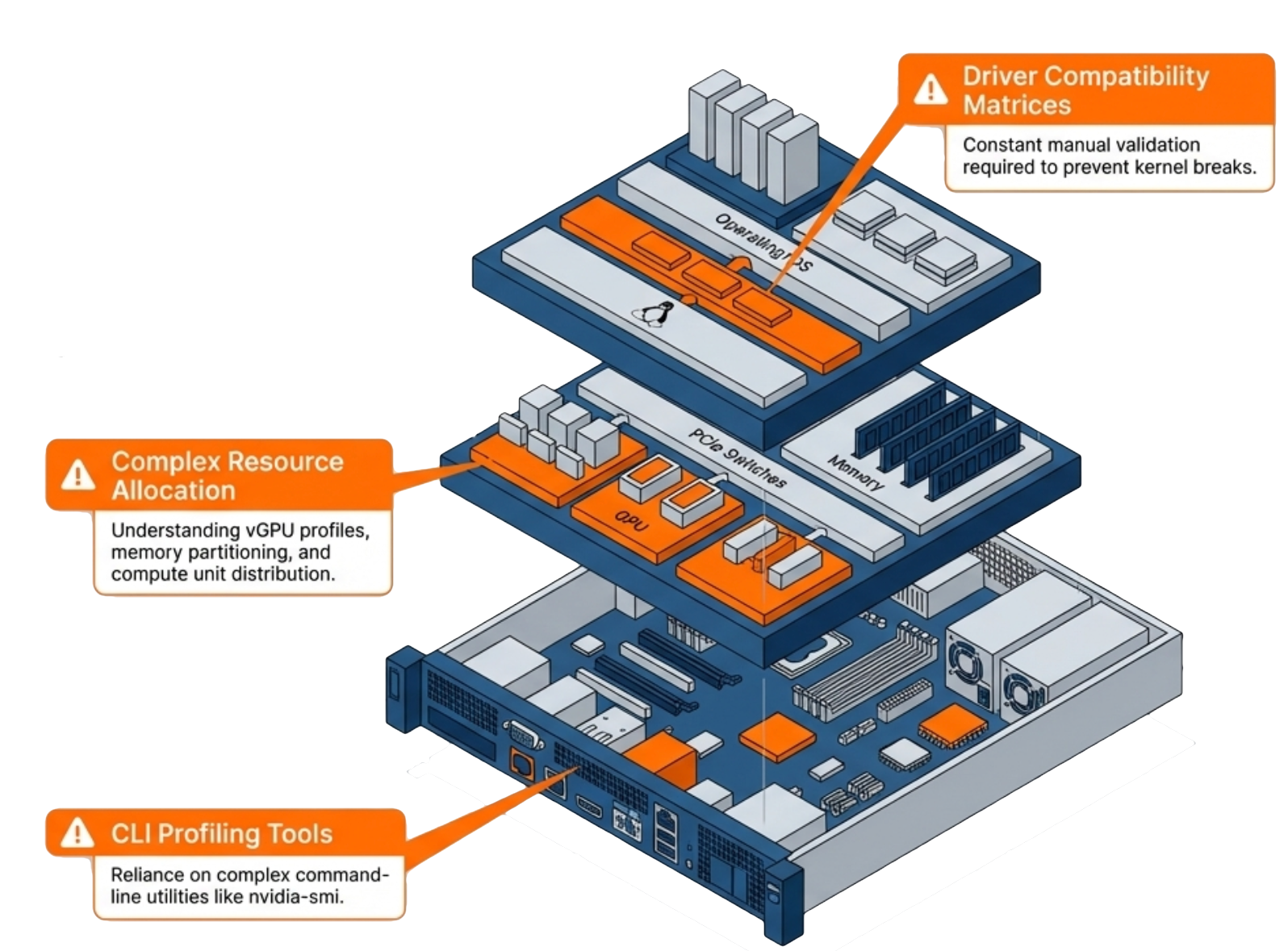
Driver management: NVIDIA driver versions must match hypervisor, guest OS, and vGPU software — version mismatches break everything
MIG CLI complexity: Multi-Instance GPU configuration requires nvidia-smi expertise most sysadmins have never touched
Fragmented tooling: GPU resources managed separately from compute, storage, and networking — no unified view
The result: Organizations hire specialists, engage expensive consultants, or defer GPU projects entirely
The Reality
The GPU Expertise Gap Is Real
73%
Lack in-house GPU expertise
Organizations without a dedicated GPU operations role — the gap is structural
6 mo
Average time-to-production
Without a unified management platform, GPU deployment timelines stretch to 6+ months
$200K+
Annual GPU specialist cost
Salary, benefits, and recruiting — for expertise that should be built into the platform
Section 02
NVIDIA vGPU 20
What’s new — and why the VergeOS partnership matters
NVIDIA vGPU 20 · March 2026 GTC
The Enterprise GPU Virtualization Standard — Updated
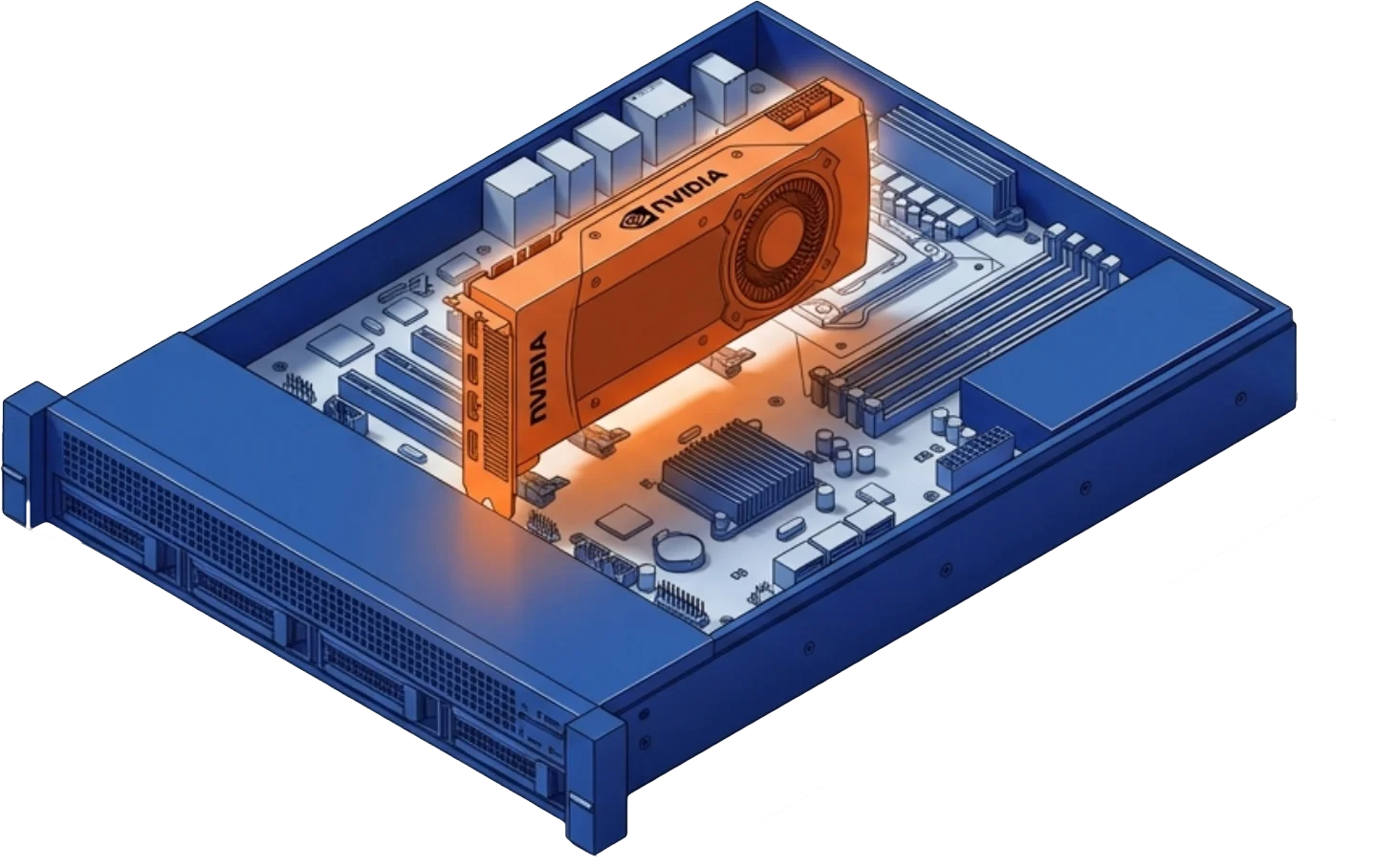
RTX PRO 6000 Blackwell Server Edition — first Blackwell GPU with full MIG + vGPU support
MIG vGPU on KVM — hardware-level isolation plus time-slicing for maximum workload density
vGPU 20 validated across: A100, A30, A40, L40 series and RTX PRO 6000 Blackwell Server Edition
NVIDIA introduced VergeOS as a supported vGPU platform — joint support paths established
Drivers deployed bit-for-bit identical to NVIDIA’s release
Platform Details
RTX PRO 6000 Blackwell Server Edition + The VergeOS Partnership
NVIDIA RTX PRO 6000 Blackwell Server Edition
Blackwell architecture — first server GPU with MIG vGPU support
Up to 4 MIG instances with hardware-level isolation enforced in silicon
Dual-slot PCIe — fits existing server infrastructure
vGPU software license required — available through NVIDIA-authorized partners
What the VergeOS Partnership Means
Joint support paths: Both NVIDIA and VergeIO engineering collaborate on GPU issue resolution
Validated configurations: VergeOS 26.1.3 + vGPU 20 tested and confirmed by NVIDIA’s technical teams
Production ready today: Not roadmap — deployed and supported now
Section 03
VergeOS GPU Architecture
Three modes. One interface. Zero specialists required.
GPU Modes in VergeOS
Three Modes. One Interface. No CLI.
Mode 01 — Passthrough
GPU Passthrough
1 VM = 1 Physical GPU
Entire GPU dedicated to a single VM. Maximum raw performance. No sharing. Ideal for rendering, simulation, and training workloads.
Max Performance
Mode 02 — vGPU
NVIDIA vGPU
N VMs sharing 1 Physical GPU
Multiple VMs share one GPU through NVIDIA’s virtualization driver. Each VM gets dedicated GPU memory. Ideal for VDI, dev environments, and inference.
Shared · Efficient
Mode 03 — MIG
Multi-Instance GPU
Hardware partitions — enforced in silicon
GPU divided into isolated instances at the hardware level. Each instance has dedicated compute engines, memory, and bandwidth.
Isolated · Guaranteed
Driver Management
One Upload. Automatic Deployment to Every GPU-Enabled VM.
1
Obtain Driver
from NVIDIA
from NVIDIA
Download from nvidia.com
2
Upload Once
to VergeOS
to VergeOS
Single upload via the UI
3
VergeOS
Builds ISO
Builds ISO
Platform bundles driver
4
ISO Attaches
on Assignment
on Assignment
Auto-attaches when VM gets GPU
5
VM Boots with
Correct Driver
Correct Driver
No manual steps
nvidia-smi not required at any point. MIG configuration is point-and-click. Entire workflow managed through the VergeOS interface.
GPU as Infrastructure
GPUs Are First-Class Resources in VergeOS
Automatic inventory: Add a supported NVIDIA GPU to a cluster node — VergeOS detects it automatically
Snapshot & replication: GPU-enabled VMs snapshot and replicate the same way as any other VM
Unified monitoring: GPU utilization tracked alongside CPU and memory in the same dashboard
Single management plane: No separate GPU orchestration layer, no plug-in, no third-party tool
Section 05
Deployment Scenarios
Four use cases your team can deploy today — no specialists required
Deployment Scenarios
Four Ways to Start Today
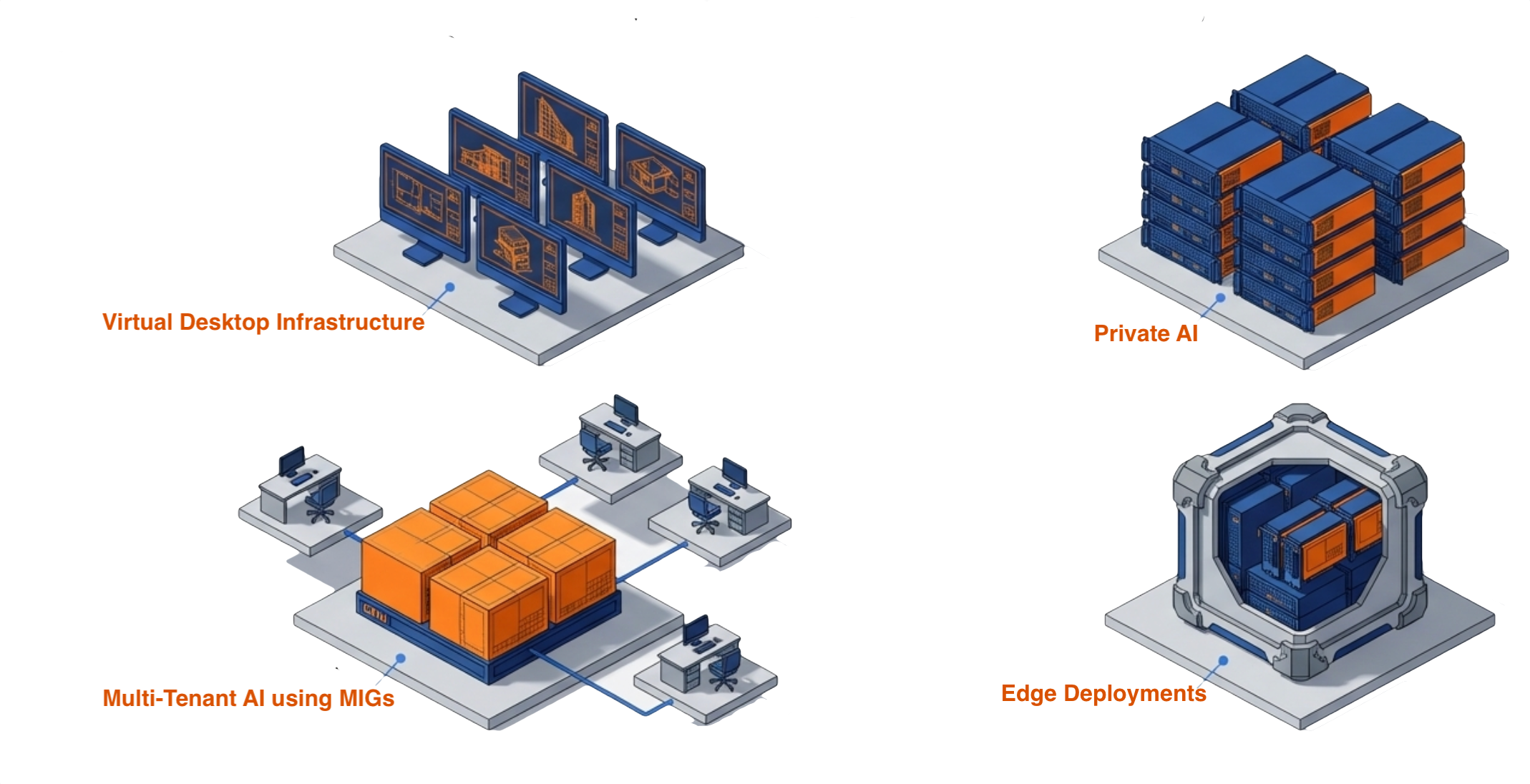
VDI with GPU Acceleration
Engineering, design, and scientific visualization from centralized infrastructure. Inuvika OVD Enterprise confirmed.
⚡ Fastest time-to-value
Private AI Inference with MIG Isolation
Inference on isolated MIG instances — guaranteed compute, no noisy neighbors. Data stays on-premises.
⚡ Priority for regulated industries
Multi-Tenant Developer Environments
Split one high-end GPU across multiple data science teams via MIG. Each team gets isolated resources.
Cost-efficient · Enterprise scale
Edge AI Deployments
Process data locally — manufacturing QC, retail analytics, healthcare imaging. Full data sovereignty.
Low latency · Data sovereignty
Production Ready Today
VergeOS 26.1.3 + vGPU 20 — Validated & Shipping
4
Validated GPU Models
A100 · A30 · A40 · L40 series — plus RTX PRO 6000 Blackwell Server Edition for MIG vGPU
Zero
CLI Commands Required
Zero nvidia-smi. Zero command-line steps. Entire workflow in the VergeOS UI
1
Driver Upload per Version
Upload once. VergeOS automatically bundles and deploys to every GPU-enabled VM
2
Vendors Behind Your Deployment
VergeIO + NVIDIA — joint support path established. No finger-pointing.
“
This is the piece that surprises IT directors every time — they expect a command line. When they see MIG configuration done entirely through a point-and-click interface, the conversation shifts from ‘can we afford to do this’ to ‘when do we start.’
Jason Yaeger · SVP of Engineering, VergeIO
From customer conversations across enterprise GPU deployments
Section 04
Live Demo
Paul Hodges, Field CTO · VergeIO — Live in the VergeOS interface
Demo Sequence · 12 Minutes
12 Minutes. Five Steps. No Command Line.
Paul Hodges, VergeIO Field CTO, walks through the complete GPU workflow live in the VergeOS interface.
1
GPU Inventory
View
View
1 min
2
Driver
Upload
Upload
2 min
3
MIG
Configuration
Configuration
4 min
4
VM + vGPU
Assignment
Assignment
3 min
5
Monitoring
Dashboard
Dashboard
2 min
Keep Learning
Resources for You
White Paper
GPU Virtualization Without the Complexity
Full technical deep dive. GPU modes, vGPU 20, driver management, and deployment scenarios.
Download → DatasheetAbstracted GPU Infrastructure
One-page technical overview of VergeOS GPU as first-class infrastructure.
View Datasheet → VergeIO BlogCreating GPU Infrastructure Without the Complexity
Why GPU management remains specialist-only — and how VergeOS eliminates the barrier.
Read Article → Hands-On LabTry It Yourself — VergeOS Test Drive
Get hands-on access to a live VergeOS environment and configure GPU modes yourself.
Start the Lab → Next StepSchedule a Technical Demo
Walk through your environment with VergeIO field engineering. See it live.
Contact Us →