GPU acceleration without the operational overhead
Every enterprise wants AI capabilities. Most organizations have proprietary data they do not, or legally cannot, send to cloud providers. Visual compute and AI development infrastructure keeps sensitive data on-premises while delivering the GPU acceleration that machine learning workloads demand. The challenge has never been the hardware — NVIDIA GPUs are widely available, and most organizations already own servers capable of running them. The challenge is operations.
VergeOS supports the full range of NVIDIA vGPU software products: NVIDIA RTX Virtual Workstation (vWS) for professional visualization and GPU-accelerated design applications, NVIDIA Virtual PC (vPC) for knowledge workers who need graphics-capable virtual desktops, and NVIDIA Virtual Applications (vApps) for hosted application delivery without dedicated workstation hardware. Each of these runs on VergeOS today, validated and jointly supported by both NVIDIA and VergeIO engineering teams.
Key Takeaways
- Visual compute and AI development infrastructure keeps sensitive data on-premises while delivering GPU-accelerated performance without cloud dependency.
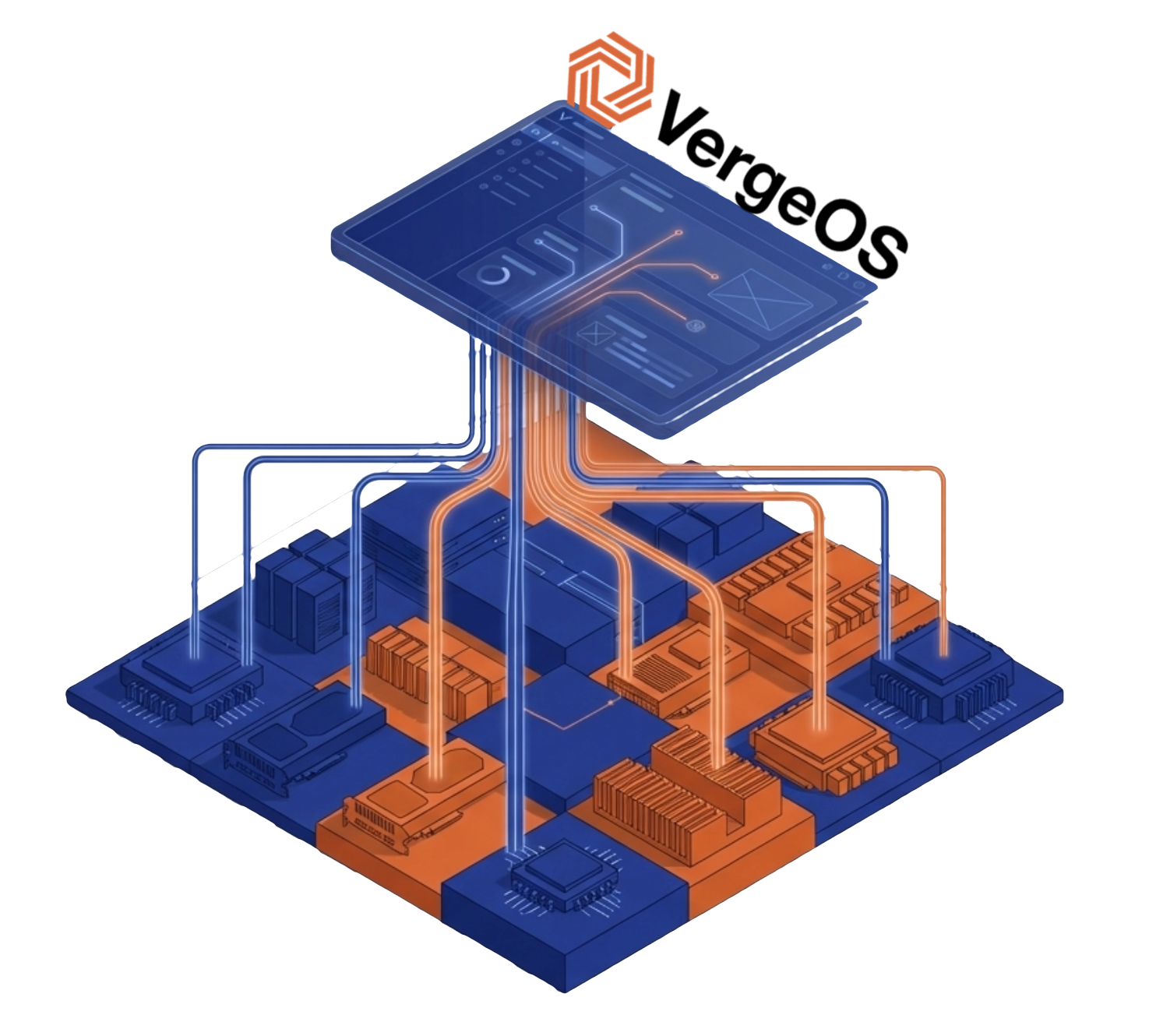
- VergeOS eliminates the specialized expertise barrier by managing GPU resources through the same interface used for compute, storage, and networking.
- NVIDIA introduced VergeOS as a supported vGPU platform, establishing joint support paths so both vendors stand behind your deployment.
- MIG configuration in VergeOS is a point-and-click operation — no nvidia-smi, no command-line tools, no GPU specialists required.
- Five deployment scenarios — VDI, inference, multi-tenant dev, edge AI, and analytics — are all accessible to standard IT teams today.
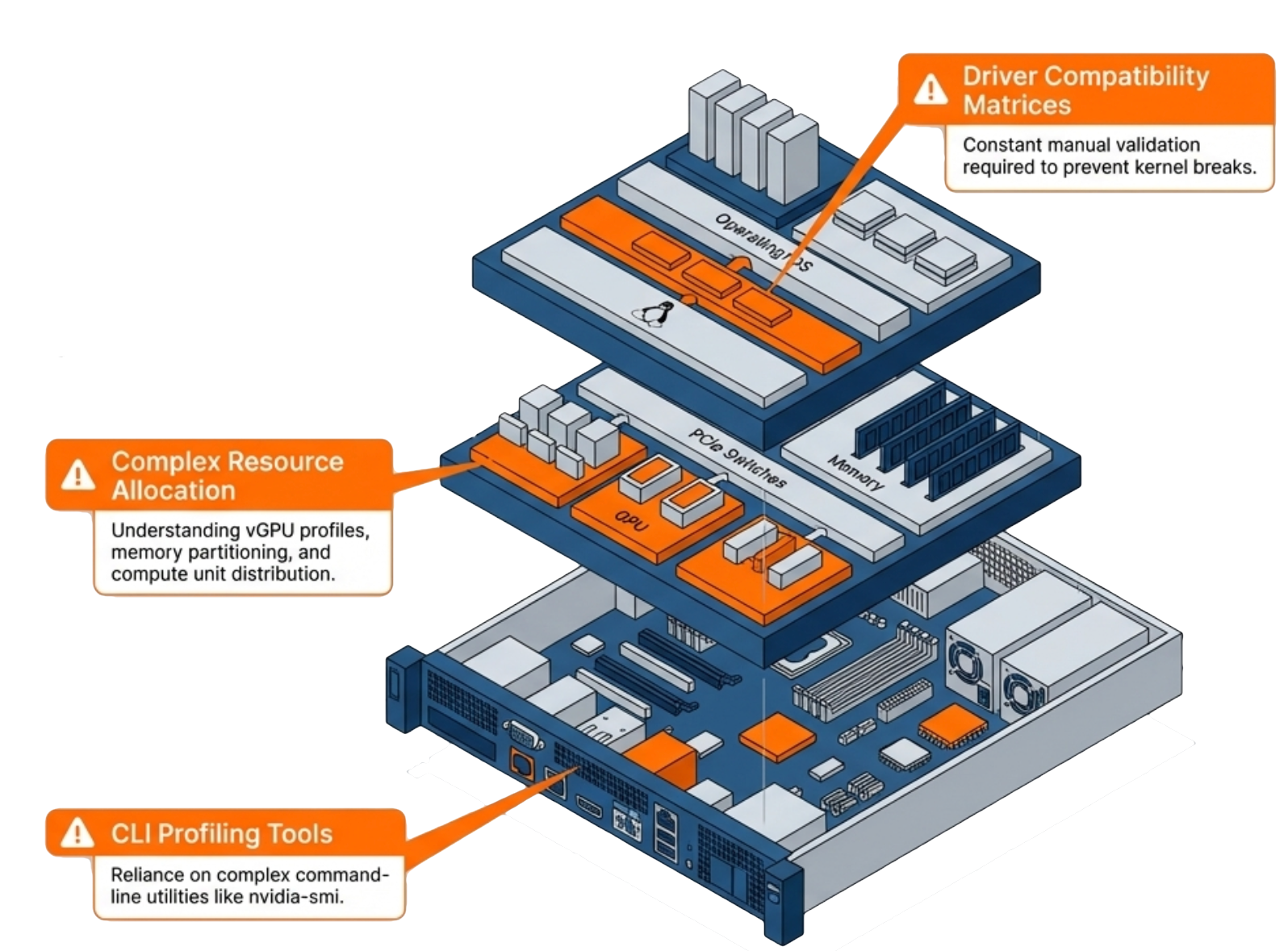
Visual compute and AI development deployments keep sensitive data on-premises while delivering the GPU acceleration that machine learning workloads demand. GPU infrastructure traditionally requires specialized expertise that most IT teams lack. Who manages the GPUs? What happens when driver updates break compatibility? How do you allocate GPU resources across competing workloads without constant manual intervention? These questions stop projects before they start.
Key Terms
Driver management, resource allocation, Multi-Instance GPU configuration, and troubleshooting demand knowledge that sits outside the typical sysadmin skill set. Organizations either hire dedicated GPU specialists, engage expensive consultants, or avoid GPU workloads altogether. VergeOS changes that equation. The partnership with NVIDIA brings vGPU capabilities into the same unified management interface that IT teams already use for compute, storage, and networking. No separate tools. No specialized training. No operational friction.
Multi-Instance GPU: One GPU, Multiple Workloads
Not every workload needs a full GPU. A data scientist running inference tests does not require the same resources as a team training a large model. Traditional GPU allocation forces a choice: dedicate an entire GPU to a single workload or deal with the complexity of manual resource sharing.
NVIDIA Multi-Instance GPU (MIG) solves this problem by partitioning a single physical GPU into multiple isolated instances. Each instance gets dedicated memory and compute resources. Workloads running on separate MIG instances cannot interfere with each other, and each instance behaves like an independent GPU from the application’s perspective.
The catch: MIG configuration traditionally requires command-line expertise and careful planning. IT teams need to understand partition sizes, memory allocation, and how to reconfigure instances as workload requirements change. VergeOS automates MIG configuration through the same interface used for all other infrastructure management. Select the partition profile that matches your workload requirements, and VergeOS handles the rest. When requirements change, reconfigure without touching a command-line tool or GPU management utility.
What It Means That NVIDIA Introduced VergeOS as a Supported vGPU Platform
NVIDIA introducing VergeOS as a supported vGPU platform matters for one reason: support escalation paths. When something goes wrong with GPU workloads, enterprises need to know both vendors will stand behind the deployment. Joint support means IT teams can deploy vGPU workloads with confidence. If driver issues arise, both VergeOS and NVIDIA engineering teams collaborate on resolution. No finger-pointing. No gaps in coverage.
This designation also signals that NVIDIA’s technical teams have validated VergeOS as an enterprise-ready platform for GPU virtualization. NVIDIA does not introduce platforms lightly. Their enterprise customers expect validated, tested configurations, and NVIDIA’s reputation depends on partner platforms delivering consistent results. For full details on what this means for your deployment, see the official announcement.
Practical Applications for Visual Compute and AI Development
Visual compute and AI development use cases extend well beyond training large language models. Engineering simulation, scientific visualization, and inference workloads all benefit from GPU acceleration without requiring massive GPU clusters. These are five scenarios standard IT teams can deploy today without GPU specialists:
VDI with GPU acceleration gives knowledge workers access to applications that previously required dedicated workstations. NVIDIA RTX Virtual Workstation (vWS) delivers workstation-class GPU performance to engineers, designers, and scientists running visualization and simulation applications from centralized infrastructure. NVIDIA Virtual PC (vPC) extends graphics-capable virtual desktops to a broader user population connecting from standard endpoints.
Hosted application delivery brings GPU-accelerated applications to users without dedicated workstation hardware. NVIDIA Virtual Applications (vApps) delivers individual GPU-accelerated applications to any endpoint, giving organizations flexibility to extend specific tools — rendering software, simulation packages, AI development IDEs — without provisioning full virtual desktops.
AI inference at the edge processes data locally without sending it to external services. Manufacturing quality control, retail analytics, and healthcare imaging all benefit from on-premises GPU acceleration.
Multi-tenant AI development splits a single high-end GPU across multiple data science teams. Each team gets an isolated MIG instance with guaranteed resources. No contention, no noisy neighbor problems, and no need to purchase separate GPUs for each group.
Database acceleration uses GPUs for analytics workloads, dramatically reducing query times on large datasets. Business intelligence teams get faster insights without specialized database infrastructure.

Getting Started
Organizations with existing VergeOS deployments can add GPU capabilities to their current infrastructure. Install supported NVIDIA GPUs in your servers, and VergeOS handles the rest — driver management, MIG configuration, resource allocation, and monitoring all from the same interface your team already operates. No separate management plane. No new interfaces to learn.
For organizations evaluating private cloud platforms, the NVIDIA partnership demonstrates the direction VergeOS is headed: an infrastructure layer that makes advanced capabilities accessible to standard IT operations. GPU management today, and whatever comes next tomorrow. The goal is consistent — eliminate the operational complexity that prevents organizations from using the infrastructure they already own. Visual compute and AI development infrastructure should not require specialized GPU staff.
Take a Test Drive Today — No hardware required.
See it live: join the GPU Virtualization Without the Complexity webinar on April 2nd at 1:00 PM ET for a live demonstration of MIG configuration, vGPU profiles, and one-time driver upload in a unified private cloud environment.
Explore the full platform details on the Abstracted GPU Infrastructure page, or read the official announcement.