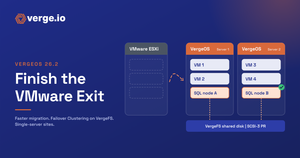
In this VMware migration demo, a VM moves into VergeOS 26.2 with the same import workflow and a faster transfer underneath.
Faster VMware migration in VergeOS 26.2 · Narrated demo, 1:48
Why Transfer Speed Matters in a VMware Exit
Most organizations move the bulk of their VMs off VMware quickly. The slow part is the transfer window: an initial full copy, a round of testing, then a final transfer of changed blocks before cutover. The longer each transfer runs, the longer the maintenance window and the later the cutover.
VergeOS 26.2 speeds up both the initial and the final transfer. In VergeIO lab testing over NBD, transfers ran 120% faster than on VergeOS 26.1.8, or 2.2 times the speed. Changed block tracking still limits the final transfer to the blocks that changed, and tags, categories and a unique serial number come across with each VM.
Your network and storage still set the ceiling, so the most useful number is the one from your own environment. Upgrade a test system from 26.1.6 or later, run the same import you watch in this demo, and time a pilot VM before and after. The workflow does not change, so the only new variable is the release itself.
What to Watch in the VMware Migration Demo
- Same workflow. VMware service, backup job, Import VMs. Nothing new to learn.
- What changed underneath. 26.2 adds asynchronous I/O buffers to NBD transfers and faster VM list retrieval.
- Prove it on your own VMs. Upgrade from 26.1.6 or later and time a pilot VM before and after.
See the full story. This demo is part of the VergeOS 26.2 presentation: Complete the VMware Exit with VergeOS 26.2.
Every VergeOS 26.2 asset is in one place at verge.io/vergeos26. To plan your own move, request a VergeOS demo or schedule a technical whiteboard session.