NVIDIA built the AI toolkit. VergeOS makes the infrastructure disappear.
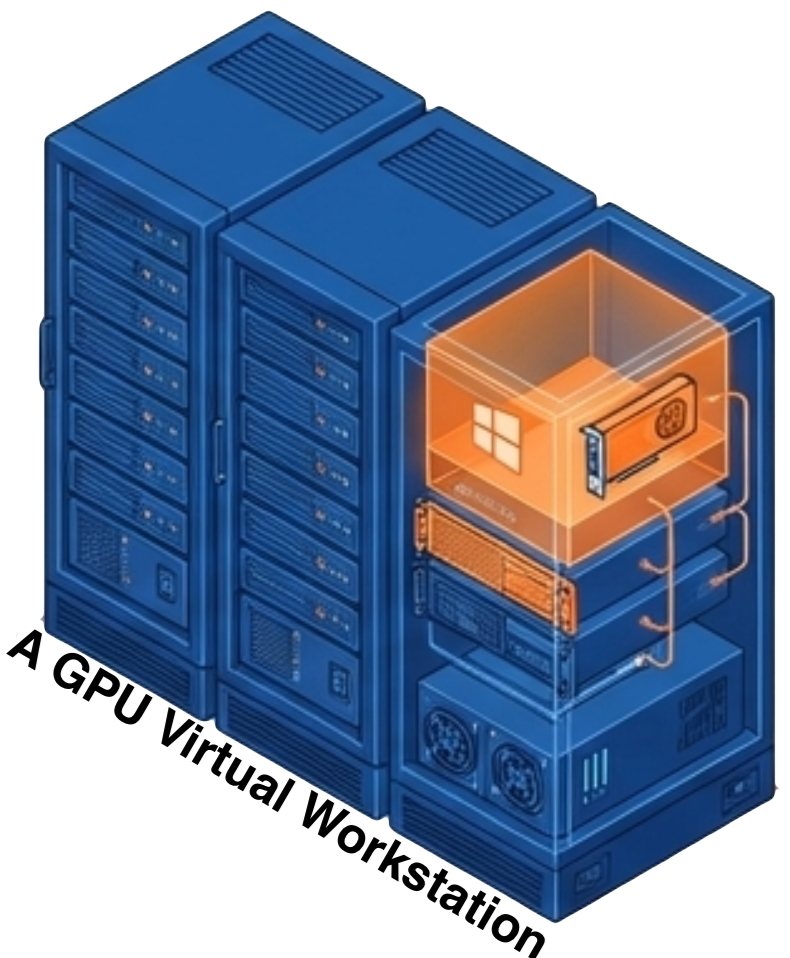
Every AI project hits the same inflection point. Someone identifies a use case worth building. The engineering team wants to connect an LLM to internal documentation, simulation results, product specifications, or design archives so domain experts can query their own data in natural language. The concept is retrieval-augmented generation, and the ideal place to build it is a GPU virtual workstation. The use case is sound. Then someone asks the question that stalls the project: where is the infrastructure to run it?
A growing number of organizations are standardizing on GPU virtual workstations. Not cloud endpoints with metered GPU hours. Not shared notebook environments where teams compete for resources every morning. The model is a self-contained virtual machine with dedicated GPU resources, running on infrastructure the IT team already manages. NVIDIA’s AI Virtual Workstation toolkit initiative makes this practical. VergeOS makes the infrastructure underneath it invisible.
Key Takeaways
- NVIDIA’s RAG Application Toolkit provides a repeatable, guided path from blank VM to working retrieval-augmented generation application inside a GPU virtual workstation.
- RAG applications running in VMs inherit full infrastructure discipline: snapshots, replication, cloning, and disaster recovery that physical workstation deployments lack.
- VergeOS compresses GPU provisioning, driver deployment, vGPU profile assignment, and MIG partitioning into a point-and-click workflow that requires no GPU specialist.
- NVIDIA introduced VergeOS as a supported vGPU platform, establishing joint support paths so both vendors stand behind the deployment.
- The RTX Pro 6000 Blackwell Server Edition supports up to four MIG-isolated RAG environments from a single GPU, and the RTX 4500 fits 16 cards in a 4U chassis for density-first deployments.
- Organizations that build the GPU infrastructure layer once deploy every subsequent NVIDIA AI toolkit as an application project rather than an infrastructure project.
The Toolkit Changes What “Getting Started” Means
NVIDIA launched the AI vWS toolkit program approximately a year ago. The observation behind it was straightforward. Current-generation data center and workstation GPUs, including Blackwell-architecture cards, now have the memory capacity and bandwidth to run GPU-accelerated inference and development inside virtual machines. Quantization advances at the framework and hardware level expand what fits inside a single vGPU allocation. The missing piece was never hardware. It was a guided path from blank VM to working application.
The RAG Application Toolkit is the most popular entry point. It walks an engineering or data science team through the complete GPU virtual workstation deployment: VM provisioning, NVIDIA AI Workbench configuration, vector database deployment, LLM loading, and a functional chat interface that queries organizational data. The minimum VM footprint is modest at 8 vCPUs, 32 GB of system memory, 120 GB of storage, and a vGPU allocation.
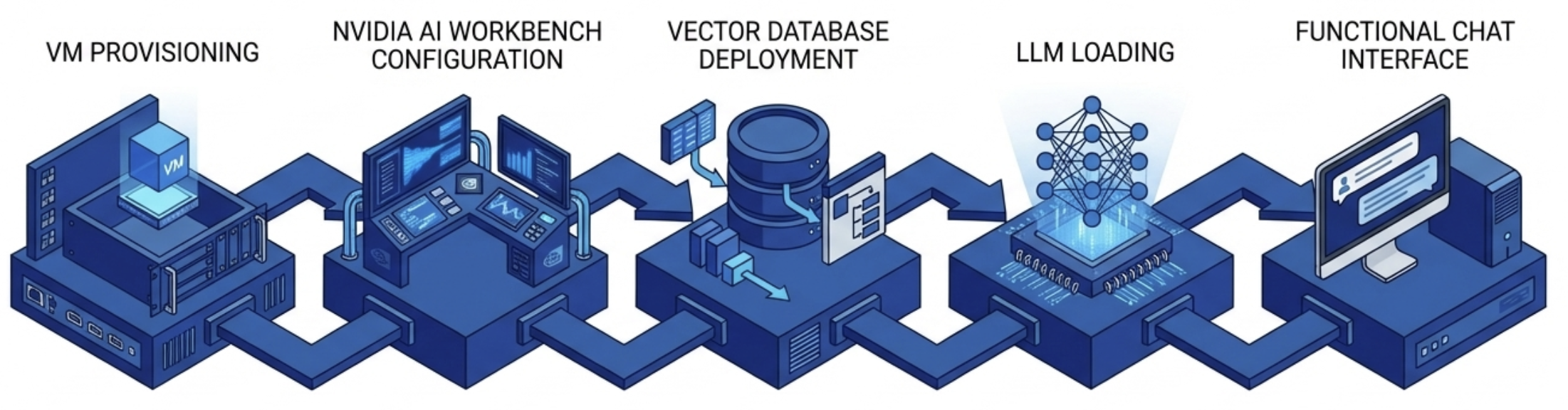
No single component here is new. Vector databases, embedding models, and LLM inference are all well-understood technologies. The significance is that NVIDIA has assembled them into a repeatable recipe that runs inside a virtual workstation. That is the same kind of environment IT teams already know how to provision, snapshot, replicate, and recover. That last point matters more than most AI conversations acknowledge.
Key Terms
AI Development Needs Infrastructure Discipline
The gap between a working AI prototype and a production-ready deployment is almost entirely an infrastructure problem. Data scientists build remarkable things in notebooks and local environments. Then someone needs to make it recoverable, reproducible, and manageable at the organizational level.
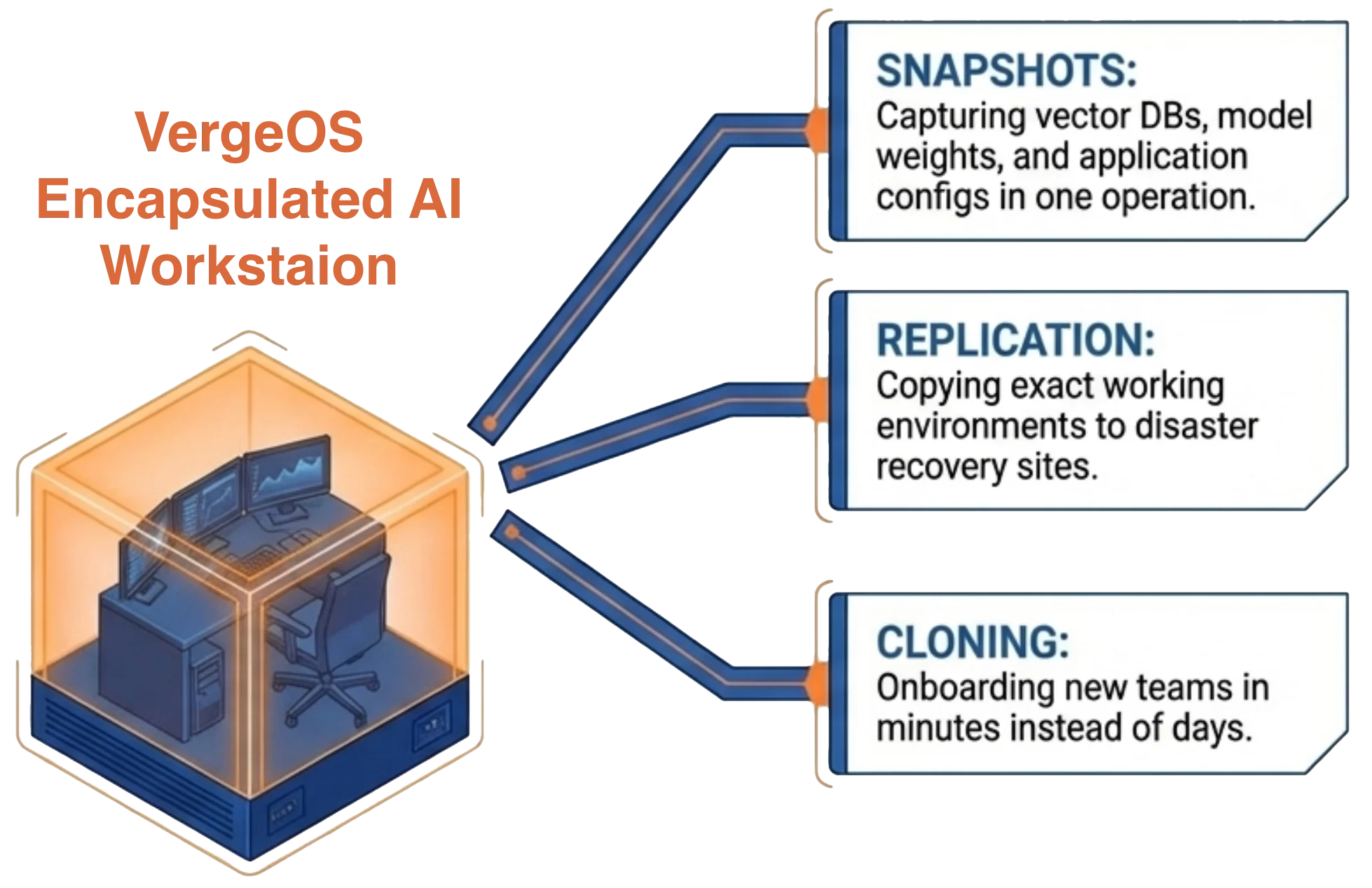
A RAG application running on a developer’s physical workstation has no backup strategy. It has no replication path. If the hardware fails, the environment gets rebuilt manually. If a second team needs the same configuration, someone walks through the entire installation process again.
A RAG application running inside a GPU virtual workstation inherits every infrastructure capability the platform provides. Snapshots capture the entire environment, the vector database, the model weights, the application configuration, in a single operation. Replication copies the working environment to a disaster recovery site. Cloning the VM gives a new team member the same configuration in minutes instead of days.
This is not a theoretical distinction. It is the difference between an AI initiative that lives on one person’s machine and one that operates as organizational infrastructure.
The GPU Virtual Workstation Platform Matters
NVIDIA’s toolkit assumes a functioning GPU virtual workstation exists. It does not prescribe how that workstation gets provisioned, how GPU resources get allocated, or how the driver stack gets managed. Those are platform responsibilities.
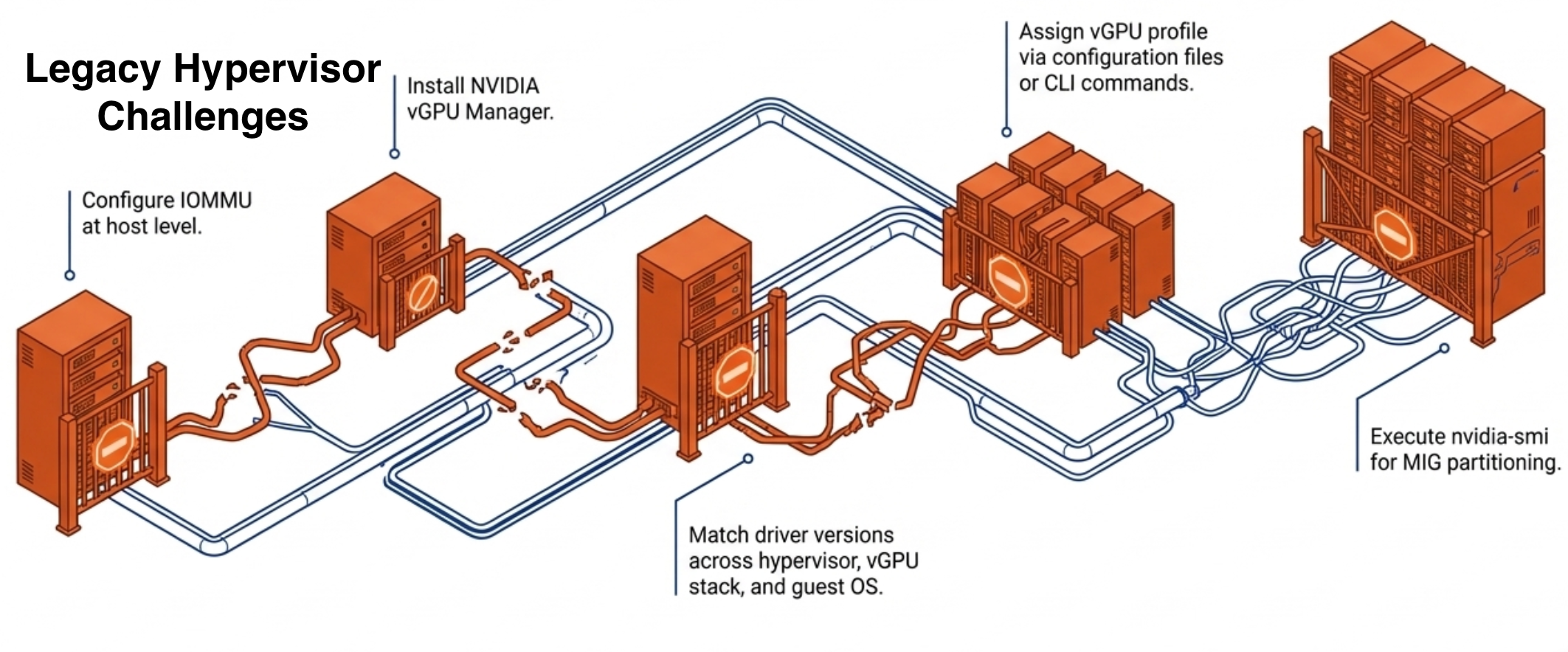
On many hypervisors, standing up a GPU virtual workstation still involves a long sequence of manual steps. Configure IOMMU at the host level. Install the NVIDIA vGPU Manager. Match driver versions across the hypervisor, the vGPU software stack, and the guest OS. Assign a vGPU profile through configuration files or CLI commands.
Some platforms have improved parts of this experience, but most still treat GPU management as a separate discipline from core infrastructure operations. MIG partitioning, splitting a high-end GPU into hardware-isolated instances so multiple team members can work at the same time, still requires nvidia-smi CLI expertise on most platforms.
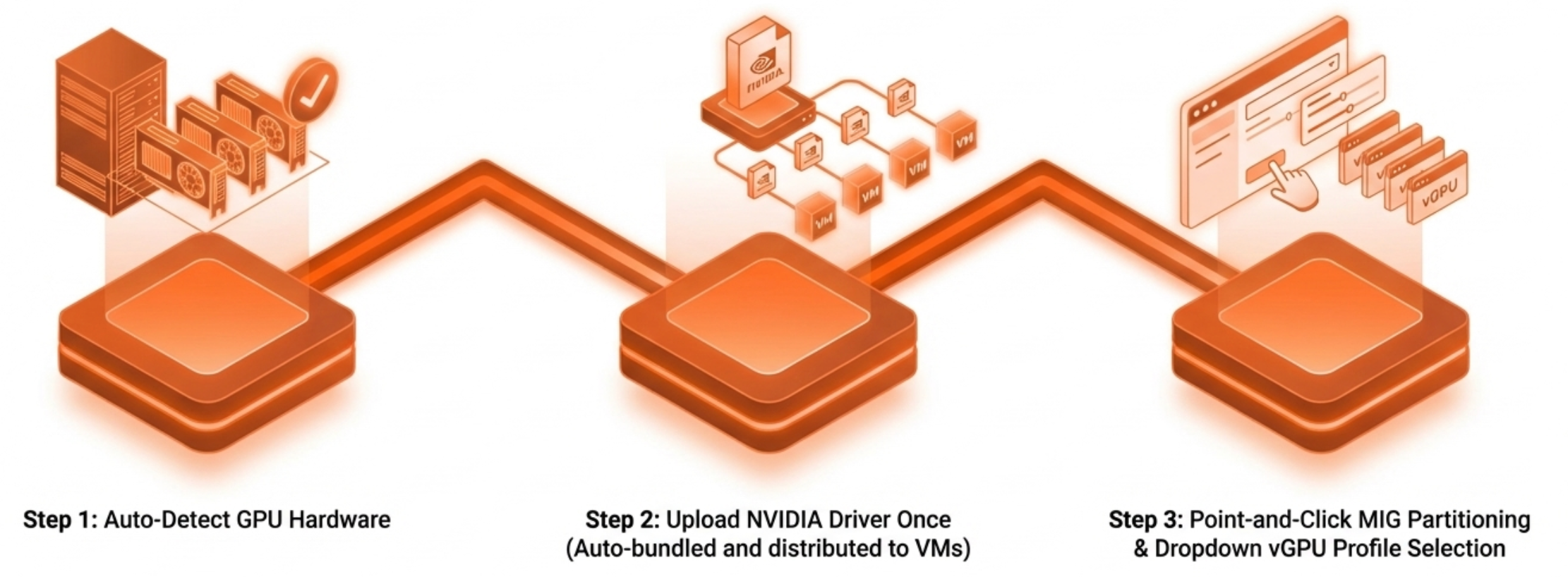
VergeOS compresses that entire sequence into a workflow an IT generalist completes without specialized GPU knowledge. The platform detects GPU hardware automatically. IT teams obtain drivers directly from NVIDIA, available to customers with valid NVIDIA vGPU software licenses, and upload them once. VergeOS bundles and distributes them to VMs automatically at assignment. vGPU profiles are selected from a dropdown. MIG partitioning is point-and-click. The GPU virtual workstation that the RAG toolkit assumes is ready in minutes, not days.
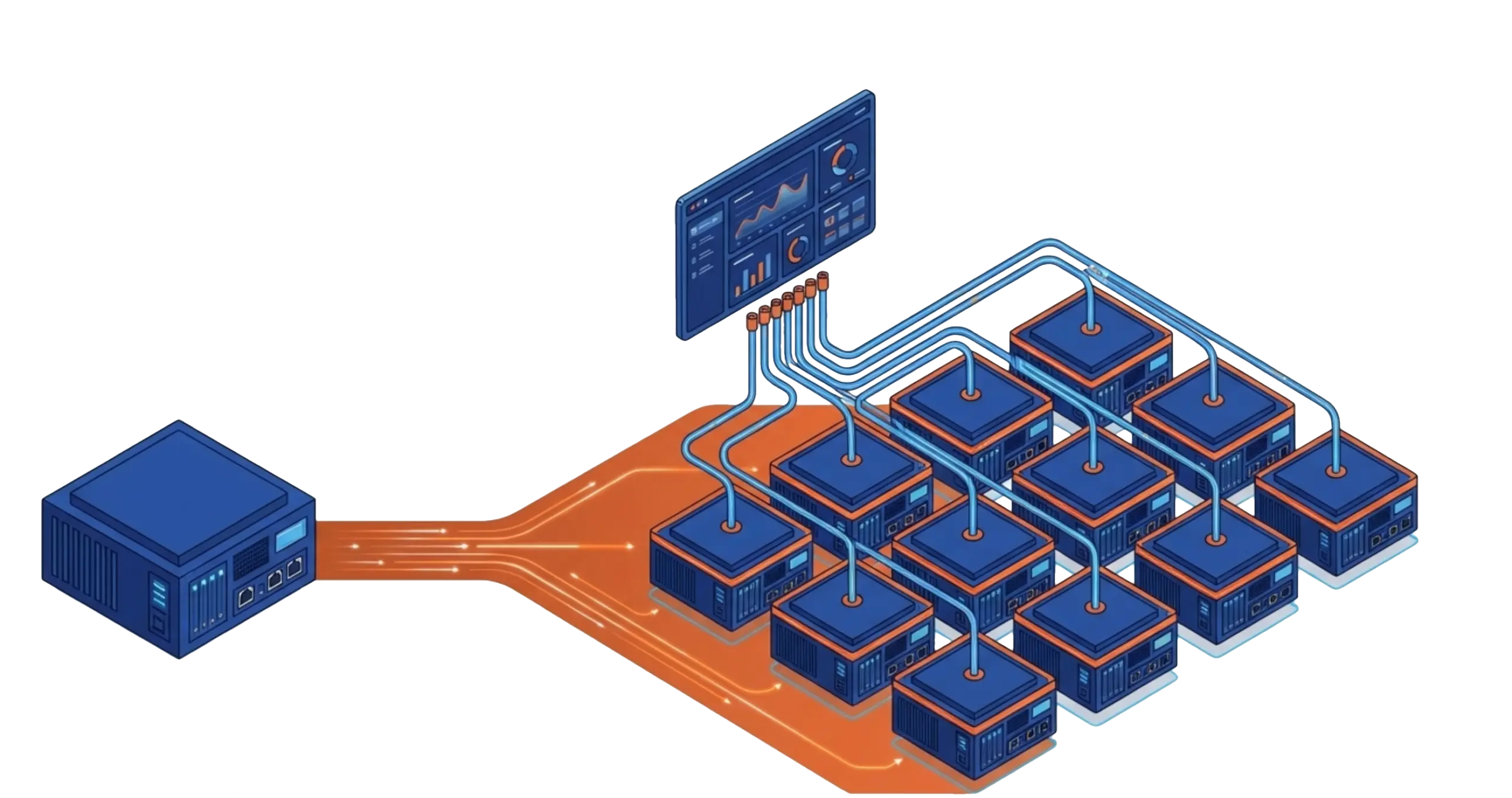
The operational contrast sharpens at scale. One RAG workstation is a project. Ten RAG workstations across three engineering teams, each with isolated GPU resources, snapshot schedules, and DR replication, is an infrastructure operation. VergeOS treats it as one. GPU workloads are managed through the same interface as compute, storage, and networking. No separate management plane. No GPU specialist on call. NVIDIA introduced VergeOS as a supported vGPU platform, and both vendors stand behind the deployment when issues arise.
Right-Sizing the GPU Virtual Workstation
The RAG toolkit’s minimum GPU virtual workstation requirement of 32 GB system memory and a capable vGPU allocation aligns well with the hardware VergeOS has validated. Teams deploying multiple RAG environments from a single card have a strong option in the RTX Pro 6000 Blackwell Server Edition. MIG partitioning on that card provides up to four hardware-isolated instances, each with dedicated memory and compute, from a single GPU. Four data science teams get four isolated RAG environments from one card.
Organizations that prioritize density have another option in the RTX 4500 Blackwell Server Edition. That card fits up to 16 units in a 4U server chassis at 165 watts per card. Each card carries 32 GB of GDDR7 memory and fifth-generation Tensor Cores with FP4 inference support. That combination handles RAG workloads with headroom for larger models and document collections as the use case matures.
NVIDIA’s AI Sizing Advisor helps teams determine the right GPU virtual workstation configuration before a single VM is provisioned. It is a free, wizard-driven tool, not a chatbot, that recommends configurations based on specific workload parameters and includes a smoke test to validate the recommendation.
The Pattern, Not Just the Project
The RAG toolkit is the most visible entry point, but it represents a broader pattern. NVIDIA’s toolkit portfolio also includes Agentic RAG for multi-step retrieval workflows, a fine-tuning toolkit for model customization, and a video search and summarization toolkit arriving this year. Each follows the same model: a guided deployment path that assumes a GPU virtual workstation exists.
Organizations that build the infrastructure layer once, GPU provisioning, driver management, MIG configuration, snapshot and recovery workflows, deploy every subsequent toolkit as an application project rather than an infrastructure project. The same infrastructure that already runs engineering VDI, simulation workloads, and scientific visualization extends to AI development without a second management stack. The platform investment compounds.
VergeOS is designed for exactly this pattern. The same infrastructure that runs your first RAG workstation runs your tenth, your fine-tuning environment, and your inference endpoints. One interface. The same operational workflows. No need to expand the team that manages it.
The AI toolkit is ready. The question is whether your infrastructure is ready to run it as an organizational capability rather than a one-off experiment. Watch the GPU Virtualization Without the Complexity on-demand webinar for a live demonstration of all three GPU modes in the VergeOS interface. Download the GPU Virtualization Without the Complexity white paper for a full technical breakdown of GPU modes, driver management, and deployment scenarios.
Take a Test Drive Today — No hardware required.
Explore the full platform details on the Abstracted GPU Infrastructure page.