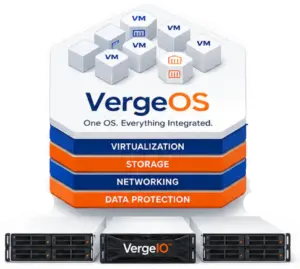
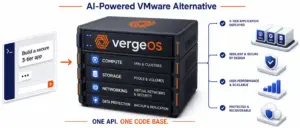
When IT professionals evaluate a VMware alternative, two concerns immediately surface: what the migration will look like and how steep the learning curve is. When those professionals encounter VergeOS — a platform that replaces the hypervisor, storage array, backup product, and network overlay in a single installation — those concerns sharpen. A key question is whether the platform’s breadth makes initial testing, migration, and daily operations more difficult.
▶ Key Takeaways
- Platform breadth reduces complexity: VergeOS replaces the hypervisor, storage array, backup product, and network overlay in a single installation. One codebase means one install, one UI, one API, and one update path.
- Independent verification exists: 2GuysTek recorded the full VergeOS installation process on camera without a script or a VergeIO sales engineer present. The entire process completes in a single sitting.
- Customers confirm fast deployments: Topgolf migrates a full venue in a single day. ZebraHost racked and installed in half a day. IAC Group completed its first site in under three hours with no prior platform experience.
- Hands-on labs require no hardware: Three self-paced labs run on VergeOS multi-tenancy, each completable in 15 to 20 minutes. The delivery mechanism demonstrates a core platform capability before the first exercise is finished.
- AI-assisted documentation answers questions in context: The built-in AI assistant draws from the full documentation set and is optimized against hallucination. If it does not know the answer, it says so.
- Four paths to evaluate with no commitment: Watch the independent installation video, complete hands-on labs, explore AI-assisted documentation, or schedule a technical overview with a Principal Solutions Architect.
The opposite is true, and the breadth of VergeOS is precisely why. VergeOS is a single codebase. One install, one UI, one API, one update path. Administrators do not create and maintain separate VMs for storage controllers, backup servers, or network management. There are no third-party dependencies for core infrastructure functions. The integration work that makes competing VMware alternatives difficult to deploy and operate does not exist in VergeOS because there is nothing to integrate.
▶ Key Terms
- VMware Alternative — A platform that replaces VMware’s virtualization stack. Most alternatives swap only the hypervisor. A Private Cloud OS replaces the hypervisor, storage, networking, and data protection in a single installation.
- Private Cloud Operating System — A unified operating system that treats compute, storage, networking, and data protection as native functions of a single codebase rather than separate products coordinated through automation.
- Single Codebase — An architecture where all infrastructure functions ship in one software package with one installation, one UI, one API, and one update path. Eliminates integration work between separate products.
- Multi-Tenancy — The ability to create isolated virtual environments on shared physical hardware. VergeOS uses this capability to host its own hands-on labs, delivering each participant a secure, independent tenant.
- Virtual Data Center (VDC) — A fully isolated, self-contained environment within a VergeOS instance that includes its own compute, storage, networking, and management controls. VDCs enable multi-tenancy without separate physical infrastructure.
- Proof of Concept (POC) — A controlled evaluation where an IT team installs and tests a platform in its own environment before committing budget. VergeOS POCs run on existing hardware with no forklift required.
- Hands-On Lab — A self-paced, cloud-hosted environment that gives IT professionals direct access to a platform without deploying hardware. VergeIO’s labs run on VergeOS multi-tenancy, demonstrating the platform’s isolation capabilities as part of the experience.
How to Install This VMware Alternative — An Independent Walkthrough

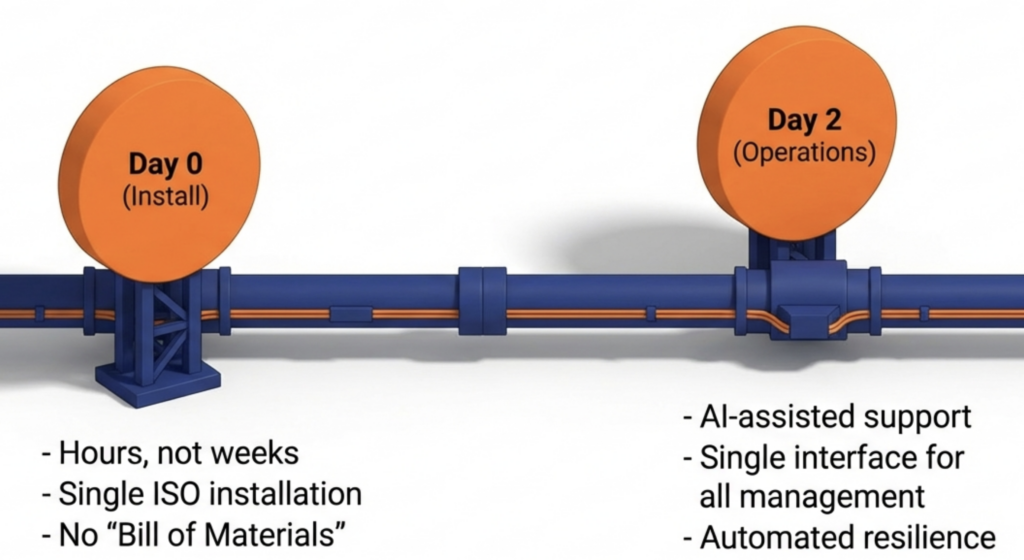
Rich Teslow at 2GuysTek, a respected independent voice in the infrastructure community, walked through the full VergeOS installation process on camera, without a script and without a VergeIO sales engineer present. In the video, he covers the entire process from bootable media to a running system in a single sitting. No separate installation steps for storage, networking, or management. No prerequisite certifications. No multi-day professional services engagements.
VergeOS customers reinforce the point:
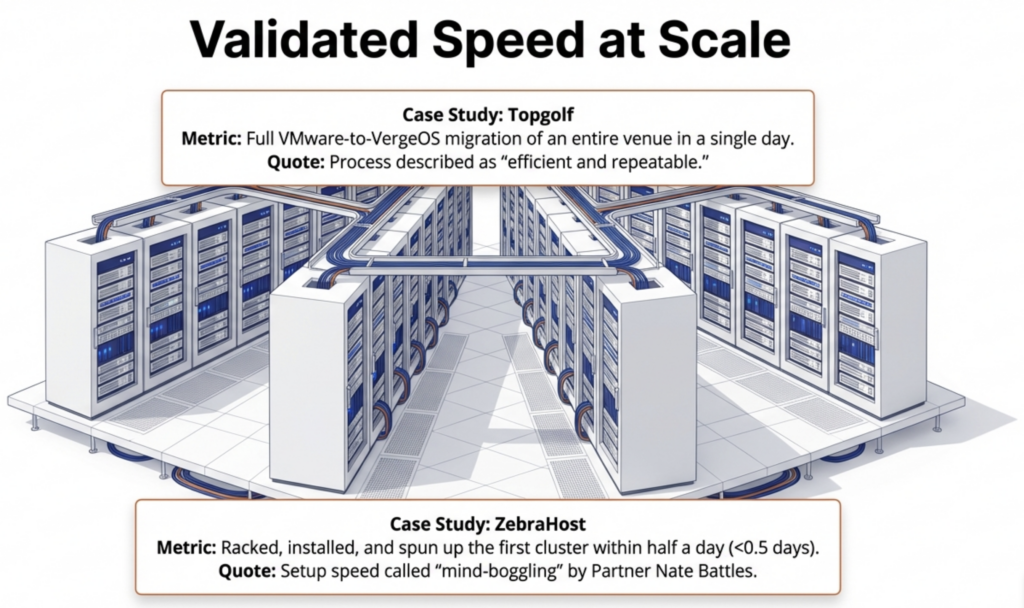
- Topgolf describes the installation process as “efficient and repeatable,” enabling the team to complete a full VMware-to-VergeOS migration of an entire venue in a single day.
- ZebraHost Managing Partner Nate Battles calls the setup speed “mind-boggling,” noting the team racked, installed, and spun up its first VergeOS cluster within half a day.
- IAC Group had no prior experience with the platform. The first site installation took less than three hours. The second site took less than two.
- InterBel Telephone IT Manager Tom Rasmussen confirmed that the lab setup proved the company’s claims, taking under two hours to complete with additional nodes integrated in fifteen minutes.
Test VergeOS Without Hardware — Hands-On Labs
After watching Rich’s video and reviewing the customer results, the next step is moving from watching to doing. VergeIO’s hands-on labs provide direct access to VergeOS without deploying hardware. VergeIO hosts these labs on VergeOS itself — each participant receives a secure, isolated tenant within the platform’s integrated virtual data center technology. The delivery mechanism demonstrates a core platform capability before the participant completes the first exercise.
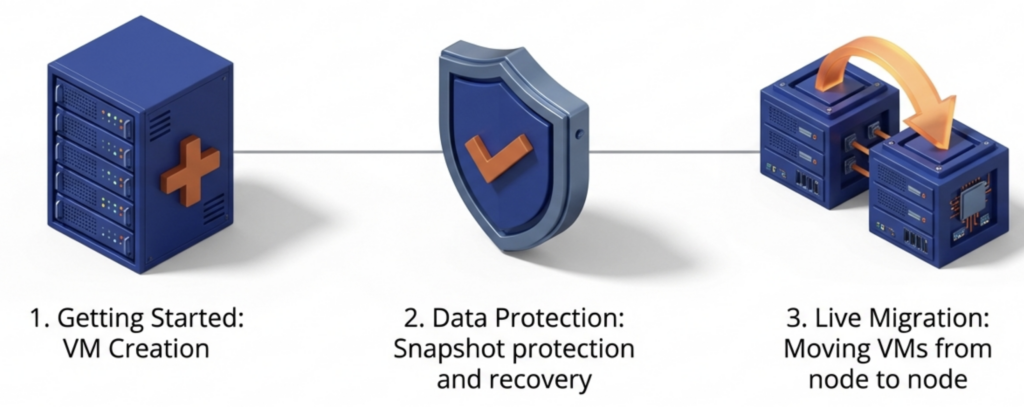
Three labs are available today, each self-paced and completable in 15 to 20 minutes: Getting Started with VergeOS, Data Protection and Recovery, and live migration of VMs from node to node. Every lab is fully scripted to walk participants step by step through core platform processes, including VM creation, snapshot protection, and recovery. Administrators finish each lab with hands-on experience performing the tasks they will perform in production—not a guided tour of someone else’s screen. All three labs are available 24/7 with no hardware required.
AI-Assisted Documentation for Day-to-Day Operations

IT professionals rarely have the time or patience to read documentation cover to cover. The VergeOS documentation site addresses this directly with a built-in AI assistant that answers questions in context as administrators work through labs or begin a proof of concept. Ask it a question like “Before I start installing VergeOS, what networking considerations should I be aware of?” and receive a specific, platform-aware answer drawn from the full documentation set. The assistant is optimized against hallucination — if it does not know the answer, it says so.
Start a VergeOS Proof of Concept
The final step is trying VergeOS in your own environment. We recommend starting with a product demonstration from one of our Principal Solutions Architects. They walk through the platform in action, including a live VMware migration, and provide a license for your test environment. Schedule that conversation here.
Why Ease of Use Matters When Choosing a VMware Alternative
IT teams evaluating infrastructure platforms need to answer two questions before committing budget and staff time. First, does the platform deliver the capabilities the organization requires? Second, can the existing team operate it without adding headcount or investing in new certifications?
VergeOS addresses the first question through its integrated architecture—compute, storage, networking, snapshots, replication, and multi-tenancy—shipped in a single installation package with no bill of materials to assemble. The installation video, hands-on labs, and AI-assisted documentation address the second question by allowing IT professionals to verify operational simplicity firsthand. An independent reviewer installing the platform in one sitting, self-paced labs that take 15 minutes to complete, and an AI assistant that answers operational questions on demand say more about day-to-day operations than any datasheet.
Get Started with VergeOS
Four paths, no commitment required:
- Watch the independent installation walkthrough from 2GuysTek
- Do the hands-on labs — no hardware, no cost
- Explore the documentation and AI assistant
- Schedule a technical overview with a Principal Solutions Architect
▶ Frequently Asked Questions
▶ How long does it take to install VergeOS?
The 2GuysTek independent walkthrough shows a full installation completing in a single sitting. Customer results confirm the timeline: IAC Group finished its first site in under three hours with no prior platform experience. ZebraHost racked, installed, and launched its first cluster in half a day.
▶ Do I need new hardware to try VergeOS?
No. The hands-on labs run entirely on a VergeIO data center using VergeOS multi-tenancy. No hardware, no cost, no commitment. When you move to a proof of concept, VergeOS installs on existing servers. There is no hardware compatibility matrix to satisfy.
▶ What do the hands-on labs cover?
Three labs are available today: Getting Started with VergeOS, Data Protection and Recovery, and Live VM Migration. Each is self-paced and completable in 15 to 20 minutes. Every lab is fully scripted, walking participants step by step through core platform processes including VM creation, snapshot protection, and recovery.
▶ Why does VergeOS replace more than just the hypervisor?
VergeOS is a single codebase that integrates compute virtualization, distributed storage, networking, and data protection. One install replaces the hypervisor, the storage array, the backup product, and the network overlay. There are no third-party dependencies for core infrastructure functions and no integration work between separate products.
▶ Does the AI documentation assistant hallucinate?
The assistant is optimized against hallucination. It draws answers from the full VergeOS documentation set and responds in context as administrators work. If it does not know the answer, it says so rather than generating an inaccurate response.
▶ Who recorded the independent installation video?
Rich Teslow at 2GuysTek, an independent voice in the infrastructure community. He walked through the full installation without a script or a VergeIO sales engineer present. The video covers the entire process from bootable media to a running system.
▶ Do I need VMware experience to operate VergeOS?
No. IAC Group had no prior experience with the platform and completed its first installation in under three hours. VergeOS operates through a single UI that manages compute, storage, networking, and data protection. There are no prerequisite certifications and no multi-day professional services engagements required.
▶ What is the next step after the hands-on labs?
Schedule a technical overview with a Principal Solutions Architect. They walk through the platform in action, including a live VMware migration, and provide a license for your test environment. The conversation is a working session, not a sales pitch.
The 2GuysTek independent walkthrough shows a full installation completing in a single sitting. Customer results confirm the timeline: IAC Group finished its first site in under three hours with no prior platform experience. ZebraHost racked, installed, and launched its first cluster in half a day.
No. The hands-on labs run entirely on a VergeIO data center using VergeOS multi-tenancy. No hardware, no cost, no commitment. When you move to a proof of concept, VergeOS installs on existing servers. There is no hardware compatibility matrix to satisfy.
Three labs are available today: Getting Started with VergeOS, Data Protection and Recovery, and Live VM Migration. Each is self-paced and can be completed in 15 to 20 minutes. Every lab is fully scripted, walking participants step by step through core platform processes including VM creation, snapshot protection, and recovery.
VergeOS is a single codebase that integrates compute virtualization, distributed storage, networking, and data protection. One installation replaces the hypervisor, storage array, backup product, and network overlay. There are no third-party dependencies for core infrastructure functions and no integration work between separate products.
The assistant is optimized against hallucination. It draws answers from the full VergeOS documentation set and responds in context as administrators work. If it does not know the answer, it says so rather than generating an inaccurate response.
Rich Teslow at 2GuysTek, an independent voice in the infrastructure community. He walked through the full installation without a script or a VergeIO sales engineer present. The video covers the entire process from bootable media to a running system.
No. IAC Group had no prior experience with the platform and completed its first installation in under three hours. VergeOS operates through a single UI that manages compute, storage, networking, and data protection. There are no prerequisite certifications and no multi-day professional services engagements required.
Schedule a technical overview with a Principal Solutions Architect. They walk through the platform in action, including a live VMware migration, and provide a license for your test environment.