Flash now costs 12 to 14 times more per terabyte than a hard drive, and that gap changes how an HCI cluster gets built.
A 24 TB hard drive sells for about $1,350 today, and a 15.36 TB enterprise NVMe SSD sells for $10,850 or more, a gap wide enough to reopen a storage decision most IT teams considered closed years ago. Dave Vincent and I ran into it this month while pricing drives for our labs, where the SSD quote came in near $12,000 and the hard drive quote barely registered by comparison.
Key Takeaways
- At September 2026 list prices, flash costs 12 to 14 times more per terabyte than a 24 TB hard drive.
- All-flash HCI ties every terabyte of capacity growth to the most inflated component in the data center.
- VergeOS runs hard drives and flash in one cluster, moves running VMs between them on command, and protects the hard drive tier with frequent snapshots and ioGuardian.
The Math Behind a $10,000 SSD
These are street prices, checked on September 28, 2026, that show the gap, and they move week to week right now.
| Drive | Capacity | Price | Cost per TB |
|---|---|---|---|
| Kioxia KCMYXRUG15T3 NVMe | 15.36 TB | $10,850 | $706 |
| Solidigm D7-PS1010 NVMe | 15.36 TB | $12,500 | $814 |
| WD Ultrastar DC HC580 SATA | 24 TB | $1,350 | $56 |
The price of one 15.36 TB SSD buys eight 24 TB hard drives, 192 TB of raw capacity for the same money. VergeIO calls this data center inflation, hardware costs rising faster than IT budgets, driven by AI demand for memory and flash. Flash and memory prices climbed 70 to 95 percent through the first half of 2026, and AI buildouts absorb new fab capacity as fast as it comes online. I plan as if this pricing is permanent.
All-Flash HCI Turns a Media Choice into a Refresh Bill
Live Webinar · October 7 · 2:00 PM ET
How to use HCI and Hard Drives to Fight Data Center Inflation
George Crump and Dave Vincent move a running VM from flash to hard drives and back, live from Palo Alto.
Register NowEvery HCI platform sold today defaults to all-flash, a decision the platform made for the customer years ago, back when flash prices fell every quarter and the assumption looked safe. That default now means every terabyte added at refresh time pays the flash price, and capacity-based licensing charges a second time for the same terabyte.
Most workloads need far less performance than all-flash delivers. File shares, VDI profiles, dev and test environments, log retention and a large share of general-purpose VMs sit idle for most of the day. Hard drives are slower than flash, but they stay online, handle most of this work at a speed users accept and cost a fraction as much.
Aging All-Flash Array? Let the Refresh Replace It
An aging dedicated all-flash array faces the same price sheet at its next refresh. The array vendor buys NAND from the same fabs that supply every SSD in the table above, so the quote for new controllers or more capacity arrives with data center inflation already built in. Many arrays also add a per-terabyte software license on top of the hardware, which charges the inflated flash price a second time. For many IT teams, that refresh falls in the same year as a VMware renewal.
Use the refresh to replace the array and exit VMware in one project. VergeOS runs virtualization, storage and networking on standard x86 servers, so the next purchase buys off-the-shelf flash at server prices instead of flash sold through an array vendor. Global inline deduplication means you buy less of that flash, and the file shares, VM templates, aging VMs and snapshots that sit idle on the array today move to 24 TB hard drives at $56 per TB. The separate storage network and the array support contract go away with it. The Storage Refresh vs. Storage Inflation datasheet walks through the math.
Can a 24 TB Hard Drive Keep Up?
For most workloads, yes. Random-I/O databases still belong on flash, but for the rest of the data center the answer comes down to the platform in front of the drive. One of our customers ran a hosting business that sold both flash and spinning-disk capacity with VergeOS underneath. Their customers tested their workloads on hard drives, saw little difference, and kept moving more of them to disk. Dave Vincent saw the same result when he moved a live SQL workload from NVMe to spinning disk and commit latency stayed under a millisecond on both tiers.
VergeOS makes that result repeatable for any IT team. Global inline deduplication runs across every tier, so the cluster stores fewer blocks and more of the working set fits in cache. VergeOS caches data in RAM on the server running the VM, which VergeIO testing shows produces four to five times the cache hit rate of array-side caching. On the write side, VergeOS reorders and groups incoming writes into sequential runs before they reach the platter, the access pattern hard drives handle best.
Afraid of Tiering? Select Tiering That Puts You in Control
Many IT teams steer clear of tiering, and automated tiering is the reason, after two decades of burning plenty of them. An auto-tiering algorithm samples activity, waits for a threshold and makes placement calls without knowing the business behind the workload. It is slow to spot cold data, it misses anything outside its sampling window, and it is slowest of all on the trip back to flash, usually right when users start to notice.
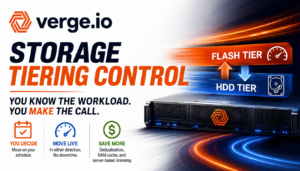
VergeOS puts the IT team in charge of placement instead. The people who run the workloads already know the business calendar, such as a tax application that is write-heavy through April 15 and read-heavy on April 16, and they need no algorithm to predict it. The IT team moves a running VM to the hard drive tier or back to flash on command, in either direction and with no maintenance window, and pins the workloads that must stay hot to a preferred tier. I covered why tiering itself was never the issue in Storage Tiering Is Not the Problem. Losing Control of It Is.
Three Ways VergeOS Makes Hard Drives Safe to Use
Tiering under IT control. VergeOS supports six storage tiers inside one vSAN, with tiers 4 and 5 designed for high-capacity hard drives, and the IT team moves a running VM’s disk between tiers on command. In VergeIO lab testing, the API acknowledged the move in 1.3 seconds and a 25 GB disk finished moving in 13 seconds with the workload running. Be aggressive with it, moving a workload to hard drives and moving it back in seconds if someone complains two weeks later.
Frequent snapshots. VergeOS snapshots run on a schedule the IT team controls, hourly by default, which gives every VM on the hard drive tier recent recovery points inside the same system.
ioGuardian. Large drives raise a fair question about exposure during a rebuild. ioGuardian answers it by pulling missing or corrupted blocks from a synchronized remote VergeOS system after a failure that exceeds the cluster’s redundancy, such as multiple drive failures spread across nodes.
VergeOS licenses per server, so the money saved on hard drives and deduplication stays in the budget instead of feeding a capacity meter.
Key Terms
Data center inflation
Hardware costs rising faster than IT budgets, driven by AI demand for memory and flash.
Storage tier
A class of drives in the VergeOS vSAN, numbered 0 through 5, running from metadata NVMe to archival hard drives.
Preferred tier
The VergeOS setting that names the first-choice tier for a VM disk, used to keep critical workloads on flash.
ioGuardian
The VergeOS repair server that restores blocks from a synchronized remote system after a failure beyond redundancy tolerance.
All-Flash HCI and VergeOS Flash Plus Hard Drives
| All-flash HCI | VergeOS flash plus hard drives | |
|---|---|---|
| Capacity cost at refresh | Flash price for every TB | Flash for the working set, $56 per TB for the rest |
| Workload placement | Everything on flash | IT team places each VM, moves it live |
| Licensing | Often per TB | Per server |
| Media mix | Flash only | Flash and hard drives in one cluster |
See the Answer Live on October 7
Dave and I will answer the question in the title live from Palo Alto on Wednesday, October 7, at 2:00 PM ET, in How to use HCI and Hard Drives to Fight Data Center Inflation. Dave will move a running VM from flash to hard drives and back on camera, and I will walk through the refresh math for a real cluster, so register for the webinar.
Frequently Asked Questions
Can a 24 TB hard drive replace an SSD for every workload?
Random-I/O databases still belong on flash, and VergeOS lets you pin them to a preferred flash tier and place everything else on hard drives.
Does deduplication work on the hard drive tier?
VergeOS runs global inline deduplication across all six tiers, so the hard drive tier gets the same capacity savings as flash.
How long does it take to move a VM back to flash?
The move starts on command and runs with the VM online, and in lab testing small disks finish the trip back to flash in seconds.