Six weeks ago our team sat down with NVIDIA to walk through the vGPU 20 release and what it means in combination with VergeOS. The questions we expected before the webinar and the questions arriving now no longer match. That gap is the most interesting data point coming out of the last six weeks. If you missed it, you can watch it on-demand now or review the presentation. No registration is required for either.
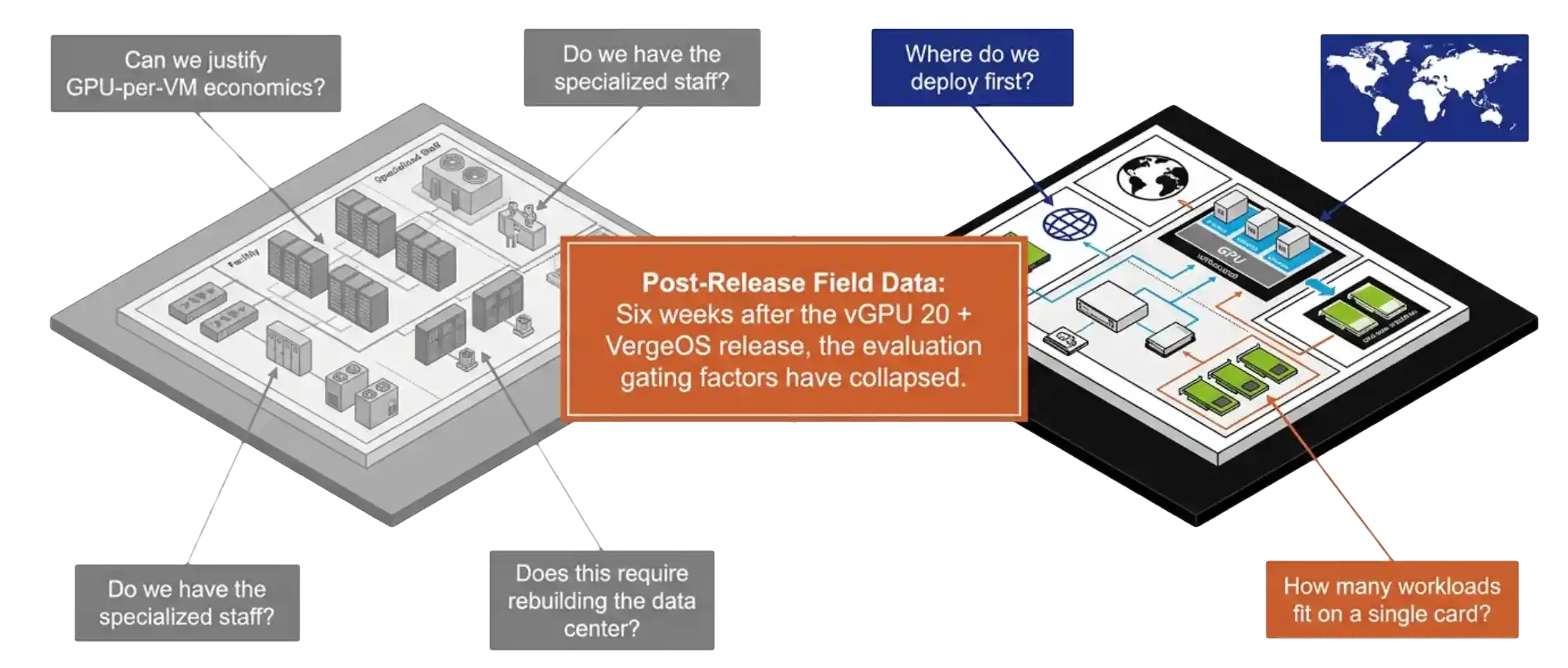
The audience that registered for the session was the audience we expected. IT directors, infrastructure architects, virtualization admins. The framing they brought was the framing the GPU virtualization market has carried for the last decade. The first question was whether the budget could absorb GPU-per-VM economics. The second was whether existing staff could run it. The third was whether deployment required rebuilding the data center.
Six weeks of follow-up conversations have replaced that framing with something narrower and more practical. Teams want to know where to deploy first. That shift is the entire point of the vGPU 20 plus VergeOS release, and it deserves a longer look at what changed in the platform to produce it.
Key Takeaways
- vGPU 20 is the first NVIDIA release with engineered VergeOS support and bidirectional escalation between the two engineering teams.
- RTX Pro 6000 Blackwell is the first data center GPU to combine universal MIG with vGPU in a single SKU, supporting up to four hardware-isolated slices and up to 48 VMs per card.
- Pass-through, vGPU, and MIG run through one VergeOS form with no CLI required.
- One driver upload produces the guest ISO automatically, which VergeOS attaches at VM boot.
- Snapshot and replication carry the GPU device configuration with the VM, so DR inherits GPU state.
- The trial license covers 128 seats for 90 days from the NVIDIA licensing portal.
The vGPU 20 and VergeOS Integration That Aged Well
The first thing the webinar covered was the integration story itself. NVIDIA released vGPU 20 with official VergeOS support as a host platform. The detail that matters is not the support statement. The detail is the engineering relationship behind it.
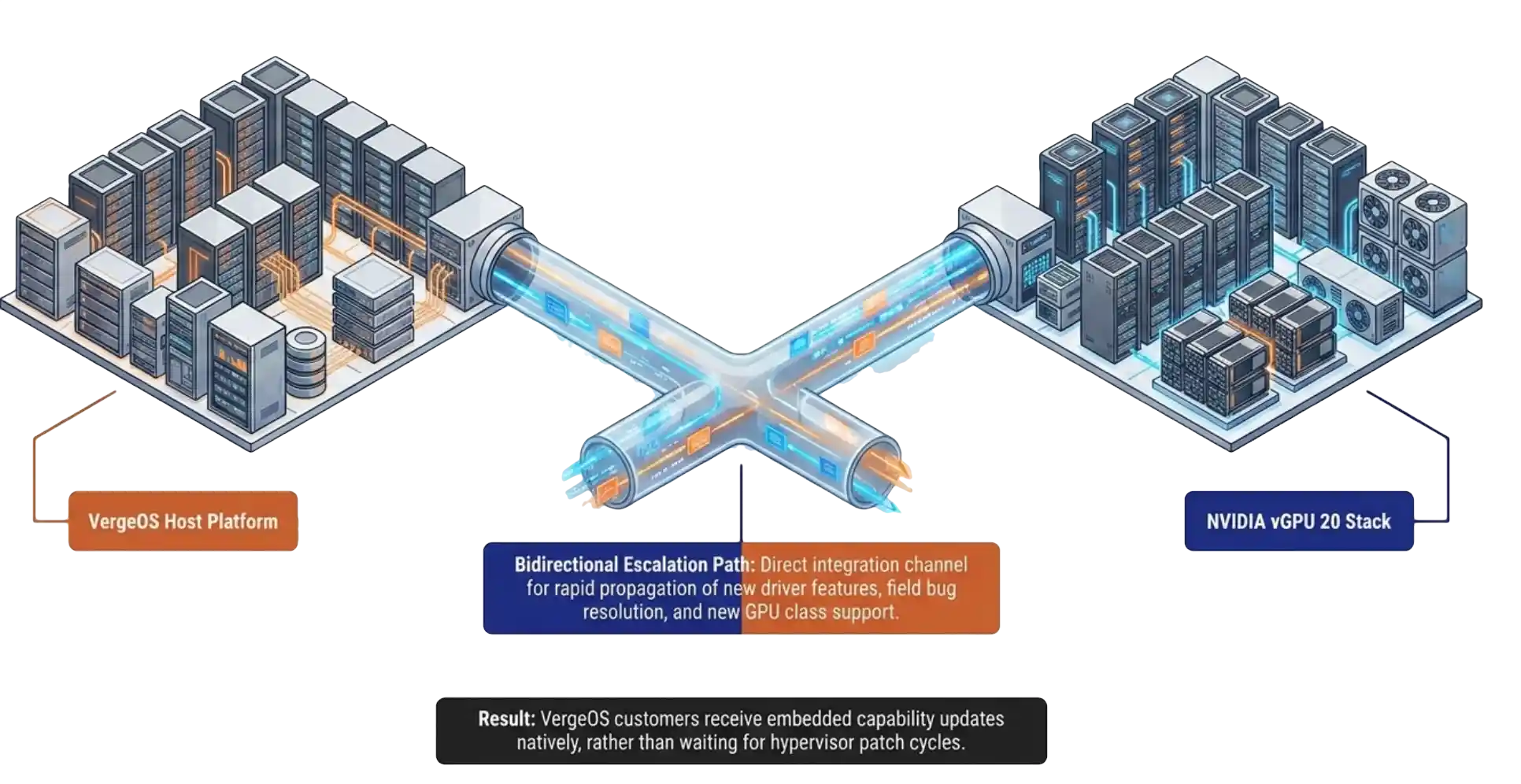
NVIDIA and VergeIO now share dual-direction escalation paths. New driver features and new GPU classes move into VergeOS faster than they moved into the platforms that came before. Six weeks of feature requests have already run through that channel. The integration is not a logo on a slide. It is an active engineering relationship with named contacts on both sides.
That structural change is the part of the announcement that has aged the best in the field. Customers who picked VergeOS as a host two years ago for unrelated reasons now find themselves on the receiving end of features they did not pay for in their original evaluation.
RTX Pro 6000 Blackwell: The vGPU 20 Hardware Foundation
The RTX Pro 6000 Blackwell is the first data center GPU to combine universal MIG with vGPU in a single SKU. That one sentence is the entire technical story for vGPU 20 hardware. Universal MIG means the card partitions itself into up to four hardware-isolated slices, and each slice runs both compute and graphics workloads through vGPU. The arithmetic stops at 48 VMs on a single card, with hardware-allocated frame buffer and hardware-allocated compute.
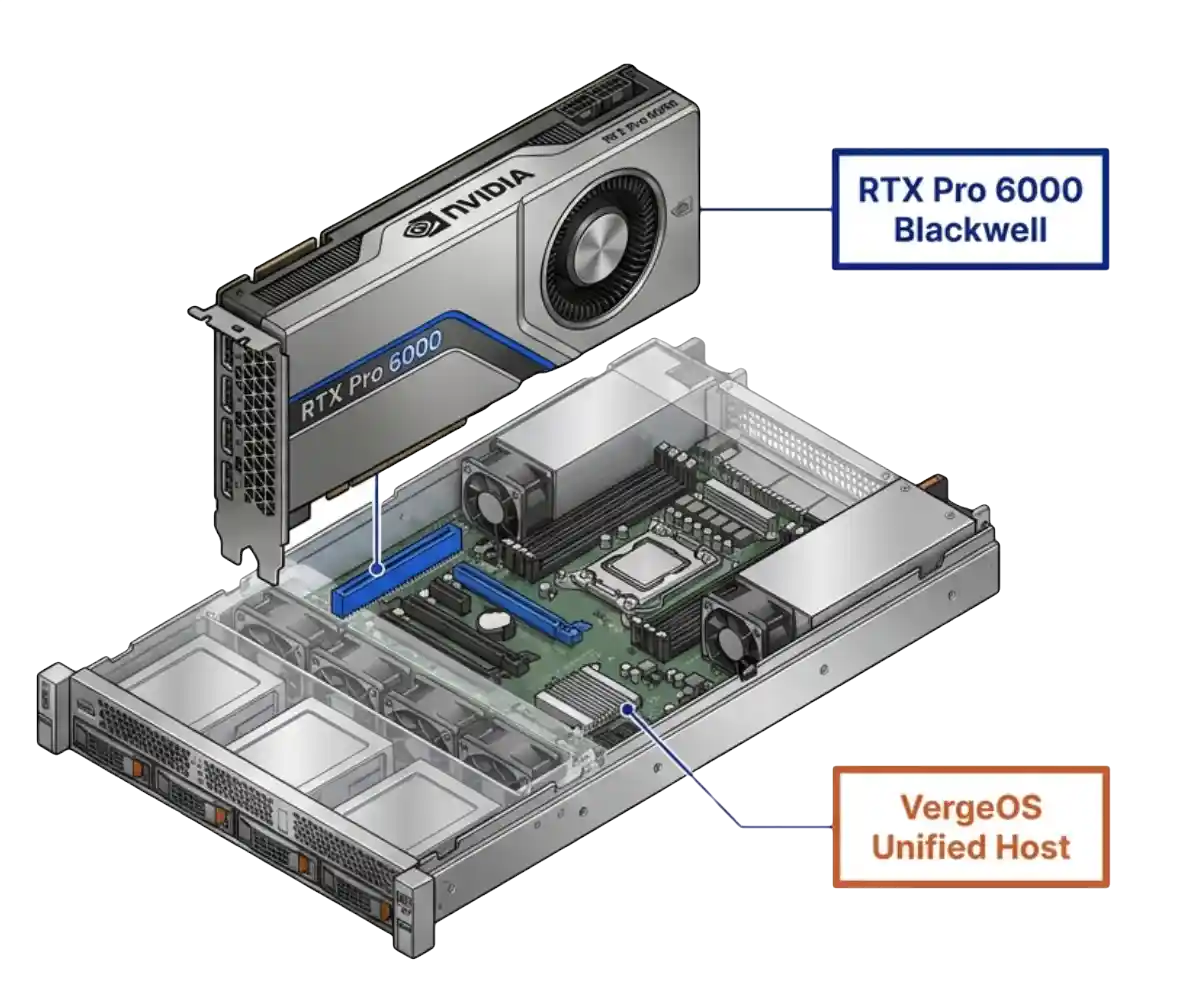
The noisy neighbor argument that has haunted GPU virtualization for a decade no longer applies on this hardware. Latency-sensitive workloads, inference at the edge, and interactive design sessions finally have a deterministic GPU model. The frame buffer is reserved at the silicon layer. The compute slice is reserved at the silicon layer. Both allocations are guaranteed by the chip, not by the hypervisor scheduler. VergeOS surfaces these slices through the standard vGPU 20 configuration form, so the silicon-level isolation is available without specialist tools.
That last point matters more than the seat count. The teams asking sharper questions in the last three weeks are the teams that read the spec sheet, ran the math, and recognized that the underlying isolation model has changed. A hardware-reserved 1/4-slice on a single Blackwell card outperforms most full GPUs from two generations ago in determinism, which is the metric inference and interactive workloads care about.
Key Terms
Hardware partitioning that divides a single physical GPU into isolated slices, each with reserved frame buffer and compute. Allocation happens at the silicon layer rather than through software scheduling.
NVIDIA’s software-driven sharing model that allows multiple VMs to share a physical GPU or a MIG slice through a guest driver.
Direct assignment of an entire physical GPU to a single VM with no sharing layer. The simplest model, used for workloads that need an entire card.
Running AI inference, knowledge-worker VDI, and CAD or visualization workloads on the same physical GPU at the same time, each with its own profile.
The GPU memory allocated to a workload. Hardware-reserved under MIG, software-allocated under classic vGPU.
vGPU 20 in VergeOS: Three Modes, One Form, No CLI
The vGPU 20 configuration model in VergeOS landed hardest with the audience. Pass-through, vGPU, and MIG all run through the same VergeOS form. The form replaces the CLI, the vendor-specific manager, and the second tool that other platforms ship with. The admin who configures a pass-through GPU configures a MIG slice the same way. GPU virtualization takes three forms with different tradeoffs in flexibility and isolation, and a single configuration model removes the operational tax of running all three.
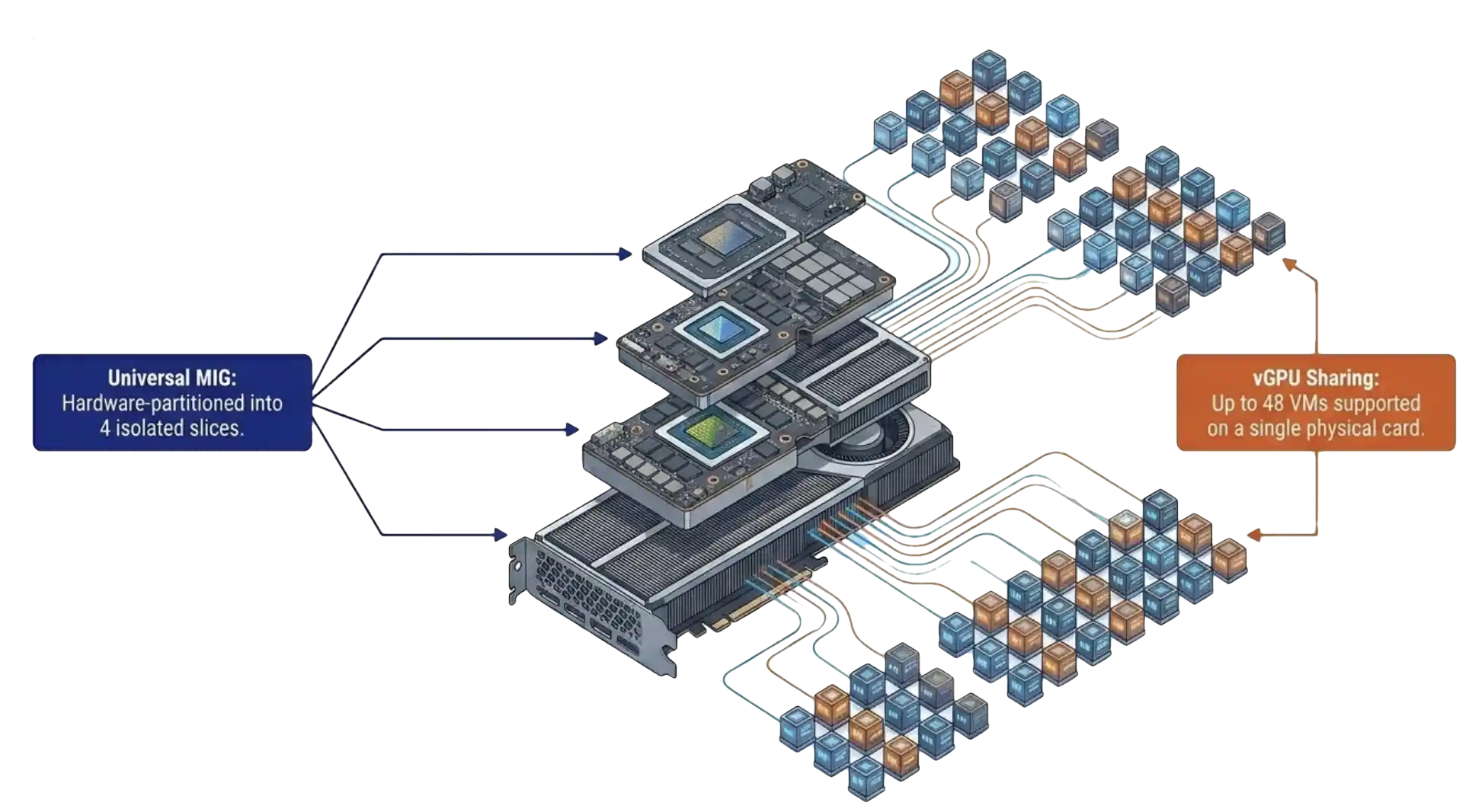
Paul Hodges ran the live MIG configuration demo during the session. The reaction in the chat was the reaction we have been hearing in every follow-up call. The point-and-click form removed the specialist requirement from the buying decision.
That observation has held. The teams moving fastest in the last six weeks are the teams that opened those calls with a sentence we used to hear in every GPU conversation. We do not have GPU expertise on staff. Those are the same teams that have deployed first. The form removed the gating factor. The engineers who would have spent a quarter learning a vendor-specific GPU management tool spent an afternoon learning a VergeOS form and moved on.
One Upload, DR-Aware Deployment
The vGPU 20 deployment model in VergeOS is the second piece that has produced unexpected follow-up. Upload the NVIDIA driver bundle and the client config token once. VergeOS generates the guest driver ISO. The ISO attaches to the VM on first boot. There are no portal round-trips, and the manual driver install per guest disappears. The driver and license token live with the VM lifecycle, not outside it.
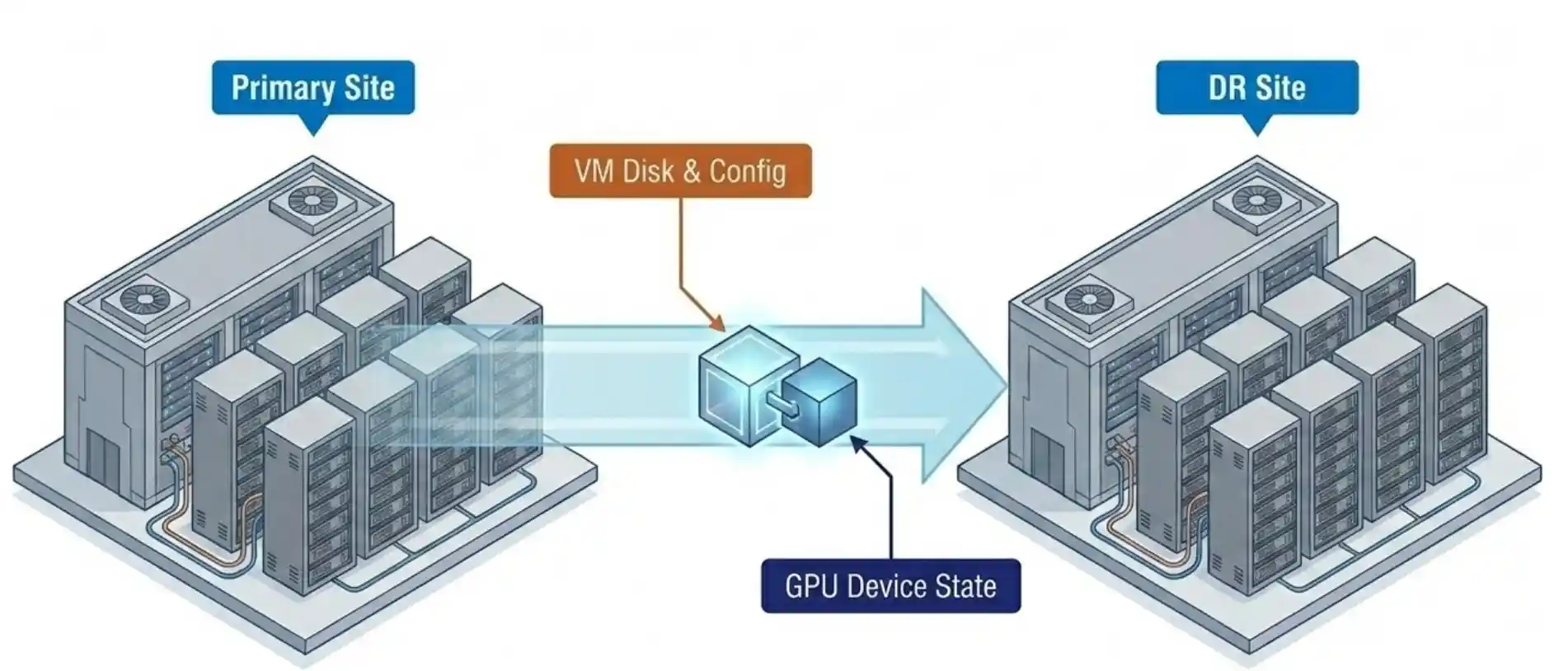
Snapshot and replication carry the GPU device configuration with the VM. That detail did not appear on the original webinar slide titled “what is new.” It came out during an audience question. Six weeks later, that single point has moved to the top of the evaluation list for almost every team past the initial demo.
A DR site that inherits the GPU assignment with the VM removes one of the longest-standing operational gaps in GPU virtualization. The traditional answer to “what happens to GPU workloads at the DR site” has been a runbook full of manual reassignment steps. The VergeOS answer is that the GPU assignment is part of the VM record, replicated alongside the disk and configuration. Failover carries it.
Old GPU Virtualization vs vGPU 20 + VergeOS
| Capability | Traditional GPU Virtualization | vGPU 20 + VergeOS |
|---|---|---|
| Configuration interface | Multiple tools, CLI required | Single VergeOS form, no CLI |
| Driver deployment | Portal trip per guest, manual install | One upload, ISO auto-generated and attached at boot |
| Frame buffer isolation | Software best-effort | Hardware-reserved via MIG |
| Mixed workload on one card | Limited or unsupported | AI, VDI, and CAD concurrent on one card |
| DR with GPU state | Manual runbook reassignment | Snapshot and replication carry the GPU configuration |
| Specialist staff required | Yes | No |
| Trial license | Varies by vendor and SKU | 128 seats, 90 days, NVIDIA portal |
The Cost Conversation Has Flipped
The cost conversation has flipped. Six weeks ago the first question from every IT director on a GPU call was a variant of “we cannot justify a GPU per VM.” That question has not arrived once in the last three weeks of follow-up calls. The question now is the inverse. How many more workloads can we put on this single card.
Once a team sees a single RTX Pro 6000 Blackwell run AI inference, twenty knowledge-worker desktops, and a handful of CAD seats concurrently, the cost-per-workload math becomes the easy answer. Three projects, three budget lines, three vendor evaluations collapse into one platform decision. That collapse is what has compressed the deployment timeline.
Paul Hodges, VergeIO’s Field CTO on the webinar, put it cleanly during Q&A. Once customers see VergeOS working with NVIDIA the conversation shifts from “can we afford to do this” to “when do we start.” Six weeks of field calls have proved that the moment an IT director sees MIG configured through a point-and-click form, that observation is accurate.
The mixed-workload use case is the conversation that closes the loop. AI strategy, VDI refresh, and CAD modernization stop being three separate budgets in three separate quarters. They become one platform decision evaluated on one card.
What To Do Next
Teams ready to put this in front of their own workloads have a 128-seat, 90-day trial license available through the NVIDIA licensing portal. Pair the trial with a VergeOS test drive and the full configuration model is on screen inside an afternoon. The fastest path to validating the field observations in this post is to recreate them on a single card.
The next six weeks will produce more data. Our prediction, based on the pattern of the first six, is that the mixed-workload pilot becomes the standard first deployment shape. The teams running AI inference against a single MIG slice today will be running VDI and CAD against the same card next quarter. That is the architecture vGPU 20 plus VergeOS was built for.
Frequently Asked Questions
MIG eliminates noisy neighbor for frame buffer and GPU compute, the two resources that produced the most disruption in shared GPU deployments. PCIe and host CPU contention are separate considerations, handled by the VergeOS scheduler at the host layer.
No. The vGPU and MIG models require the VMs sharing a card to run on the host that owns the card. VergeOS placement policies handle host affinity automatically.
No. vRAM allocation is one-to-one with the profile. The frame buffer reservation is the foundation of the deterministic latency model, and over-provisioning would break it.
Yes. The same driver set covers the 4500 Blackwell. The MIG and vGPU configuration model in VergeOS is identical across both cards.
Yes. The same configuration available through the form is available through the VergeOS API, which integrates with Terraform and other infrastructure-as-code workflows.
NVIDIA provides a 128-seat license valid for 90 days through its licensing portal. Pair it with a VergeOS evaluation to see the configuration model end to end.